Effortless Scale: How We Process Billions of Data Points Without a Single Server
This presentation introduces a deep-dive case study on architecting a hyper-scale data processing pipeline on Google Cloud Platform (GCP).

Detailed Presentation Breakdown
This content was originally presented as an online event, and due to numerous requests, I’ve made it available here as a detailed article. A video version of the presentation will also be available soon.
This content was first presented live at GDG Lisbon. You can view the event details here.
Special Thanks to:
- GDG Lisbon
- Diego Coy
- Ximena Orjuela
Slide 1: Title & Introduction
Detail: The presentation “Effortless Scale: How We Process Billions of Data Points Without a Single Server” is delivered by Nuno João Andrade, a Google Developer Expert in Cloud. It introduces a deep-dive case study on architecting a hyper-scale data processing pipeline on Google Cloud Platform (GCP).
- Core Philosophy: Adopting a “NoOps” mindset by leveraging fully managed serverless services to minimize operational overhead.
- Key Technologies: Google Cloud Pub/Sub, Cloud Run, Cloud Functions (implicitly), Cloud SQL, MemoryStore, and BigQuery.
- Audience: Architects and Data Engineers looking to migrate from rigid legacy clusters (Hadoop/Spark on-prem) to elastic cloud-native architectures.
Slide 2: Serverless High-Volume - The Challenge
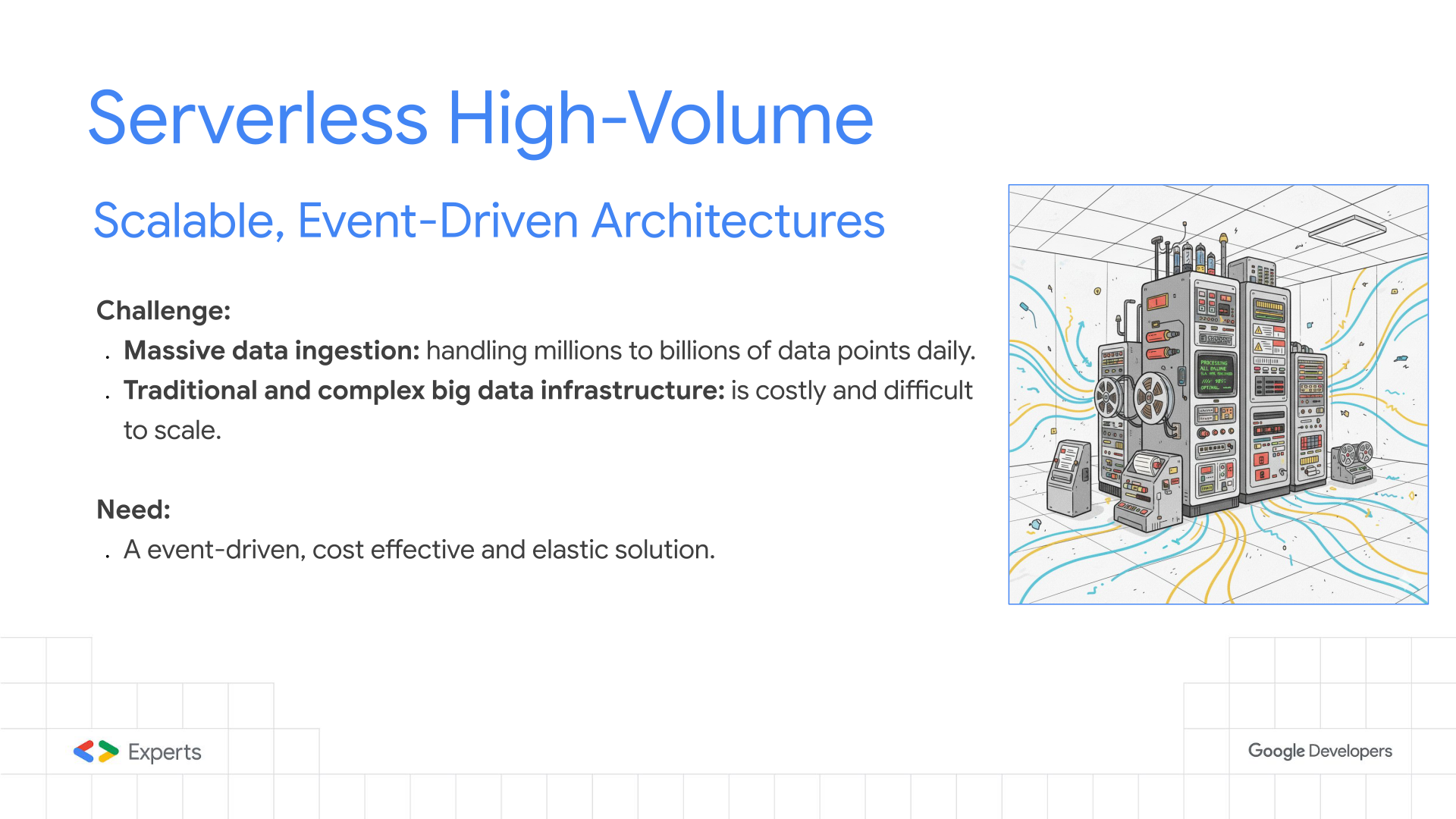
Detail: This section contrasts the legacy approach with the modern serverless paradigm:
- The Legacy Bottleneck: Traditional big data stackssuffer from fixed capacity. Provisioning for peak load results in wasted resources during off-peak hours (high TCO). Scaling requires complex orchestration and manual intervention.
- The Serverless Promise:
- Elasticity: The ability to scale from 0 to 10,000+ vCPUs instantly based on the depth of the event queue.
- Event-Driven: The system reacts to data arrival, not a schedule.
- Cost Efficiency: Pay-per-use model (billing by the 100ms) aligns infrastructure costs directly with business value (data processed).
Slide 3: Use Case - Sample Energy Data Processing
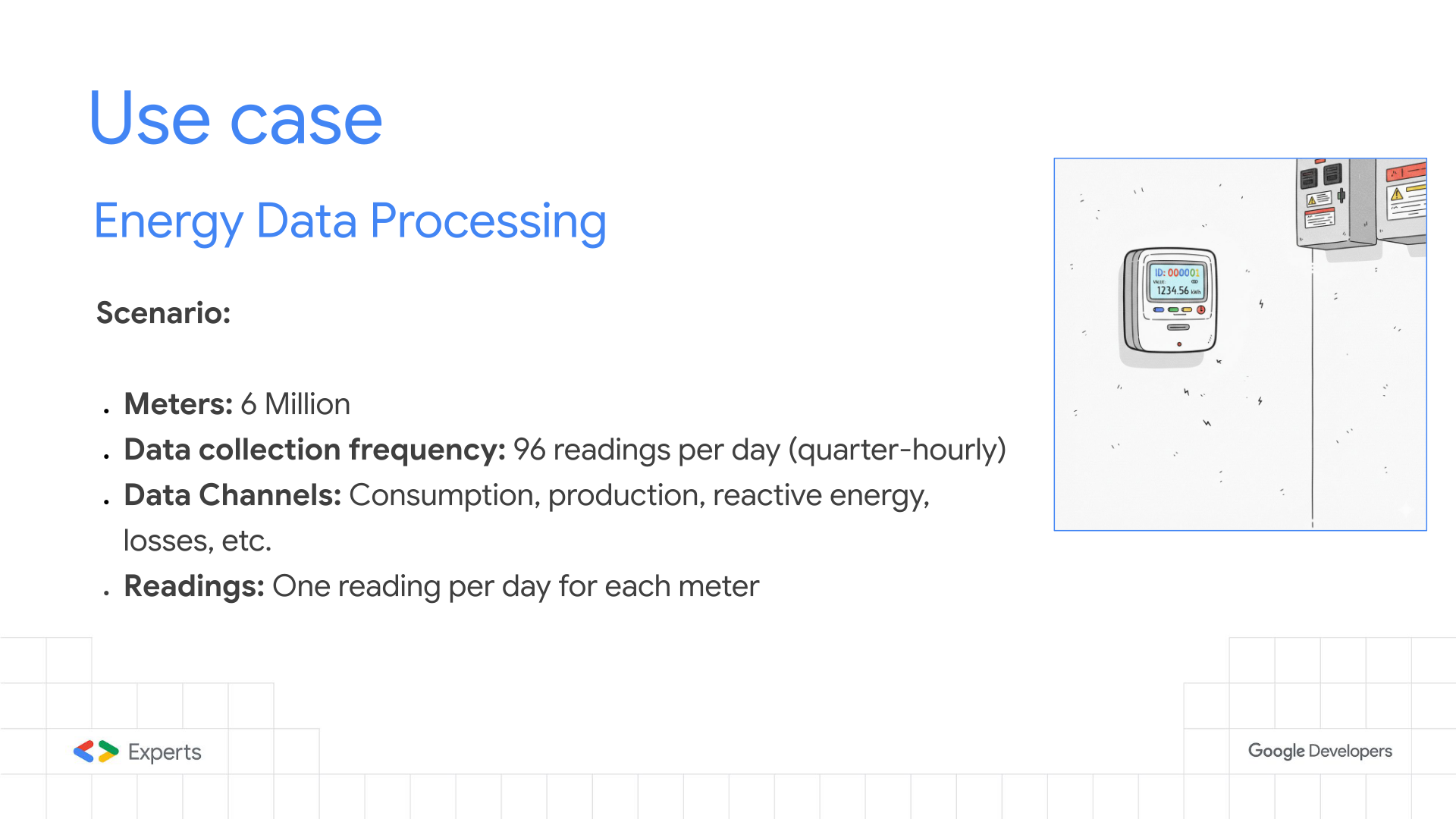
Detail: The sample scenario involves a massive IoT ingestion pipeline for smart meters:
- Data Source: 6 Million Smart Meters.
- Protocol: Meters transmit telemetry via powerline networks to several concentrators, that send the data via cellular to a central collection head-end system.
- Granularity: 15-minute intervals (quarter-hourly), resulting in 96 readings per meter/day. The message has all the 96 readings.
- Payload: Each reading is a complex object containing ~10 distinct data channels (e.g., (Consumption) Active Import, (Production) Active Export, Reactive Q1-Q4, Voltage, Current).
- Ingestion Pattern: “Daily Batch” behavior from the meters implies massive “thundering herd” spikes when meters transmit their daily logs.
Slide 4: Putting It All Together - Massive Scale
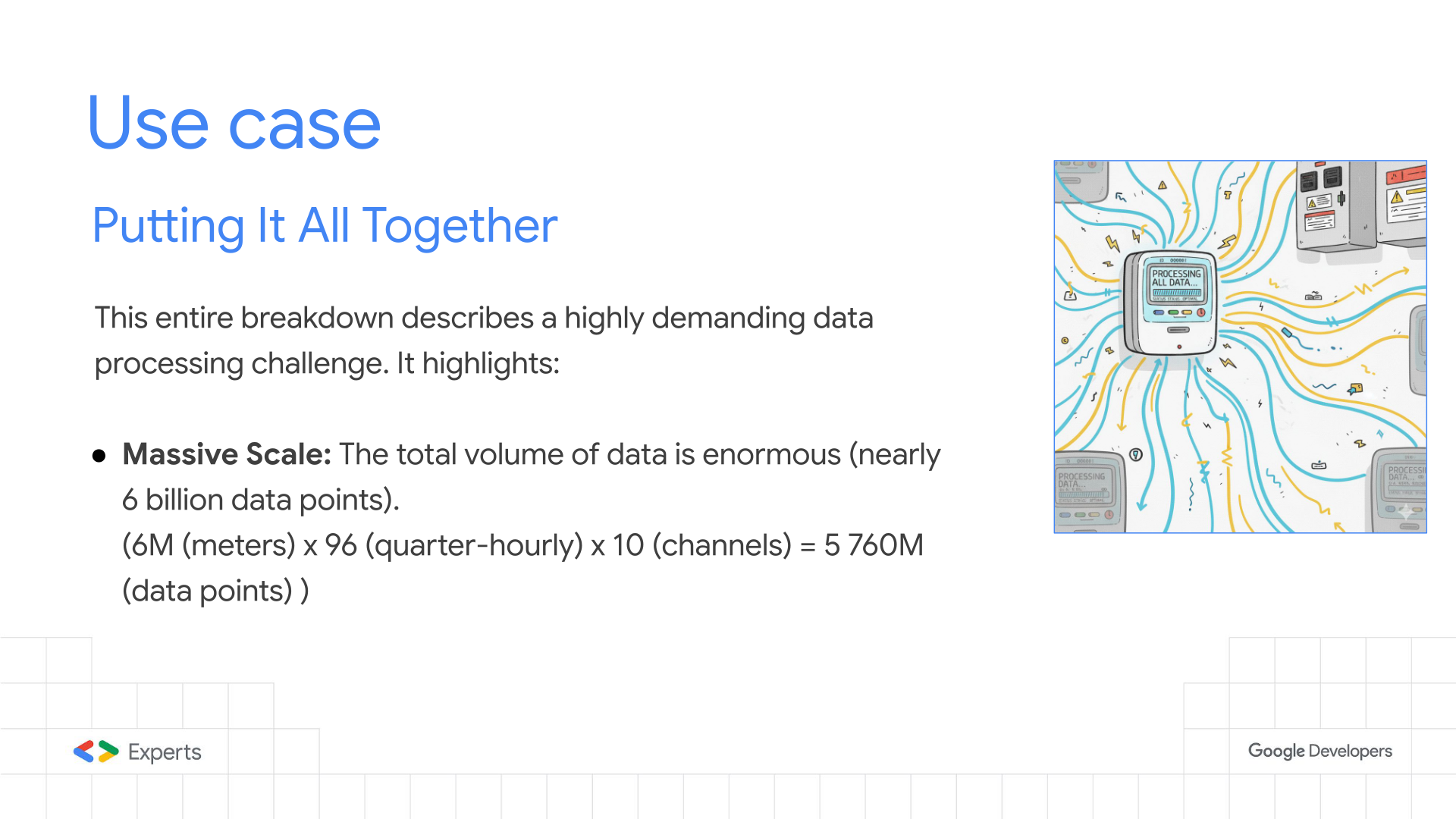
Detail: Quantifying the “High Volume” throughput requirements:
- The Math: $6,000,000 \text{ meters} \times 96 \text{ intervals} \times 10 \text{ channels} = 5.76 \text{ Billion data points}$.
- Throughput Implication: To process 5.76 billion points in 4 hours (14,400 seconds), the system must handle an average throughput of ~400,000 discrete events per second if processed individually.
- Storage Impact: This volume generates terabytes of raw data daily, requiring highly performant write strategies for the database (Cloud SQL/PostgreSQL) and the data warehouse (BigQuery).
Slide 5: Putting It All Together - Significant Complexity
Detail: The processing is CPU and I/O intensive, not just a simple “move and store” operation.
- Validation Logic: Every single data point undergoes 50+ business rules (e.g., “Is the reading sequential?”, “Does it exceed the fuse capacity?”, “Is the meter active in the contract period?”).
- External Dependencies: Validations require cross-referencing data that lives in relational databases (Contract Management System) and Asset Management Systems.
- The Latency Problem: Performing 50 SQL queries for every single data point would crush any database. Caching strategies become mandatory.
Slide 6: Putting It All Together - Strict Time Constraint
Detail: The business SLA dictates the architectural concurrency:
- The Window: 4 hours to go from “Raw Files” to “Billing-Ready Data”.
- Parallelism: Sequential processing is impossible. The architecture must support massive parallelism.
- Cold Starts: Since the workload is bursty (0 load to peak load instantly), the compute platform must have rapid cold-start times (milliseconds, not minutes), making Cloud Run vastly superior to standard VM autoscaling groups, and extremmly efficient not only in performance but in cost as well.
Slide 7: Data Model Considerations
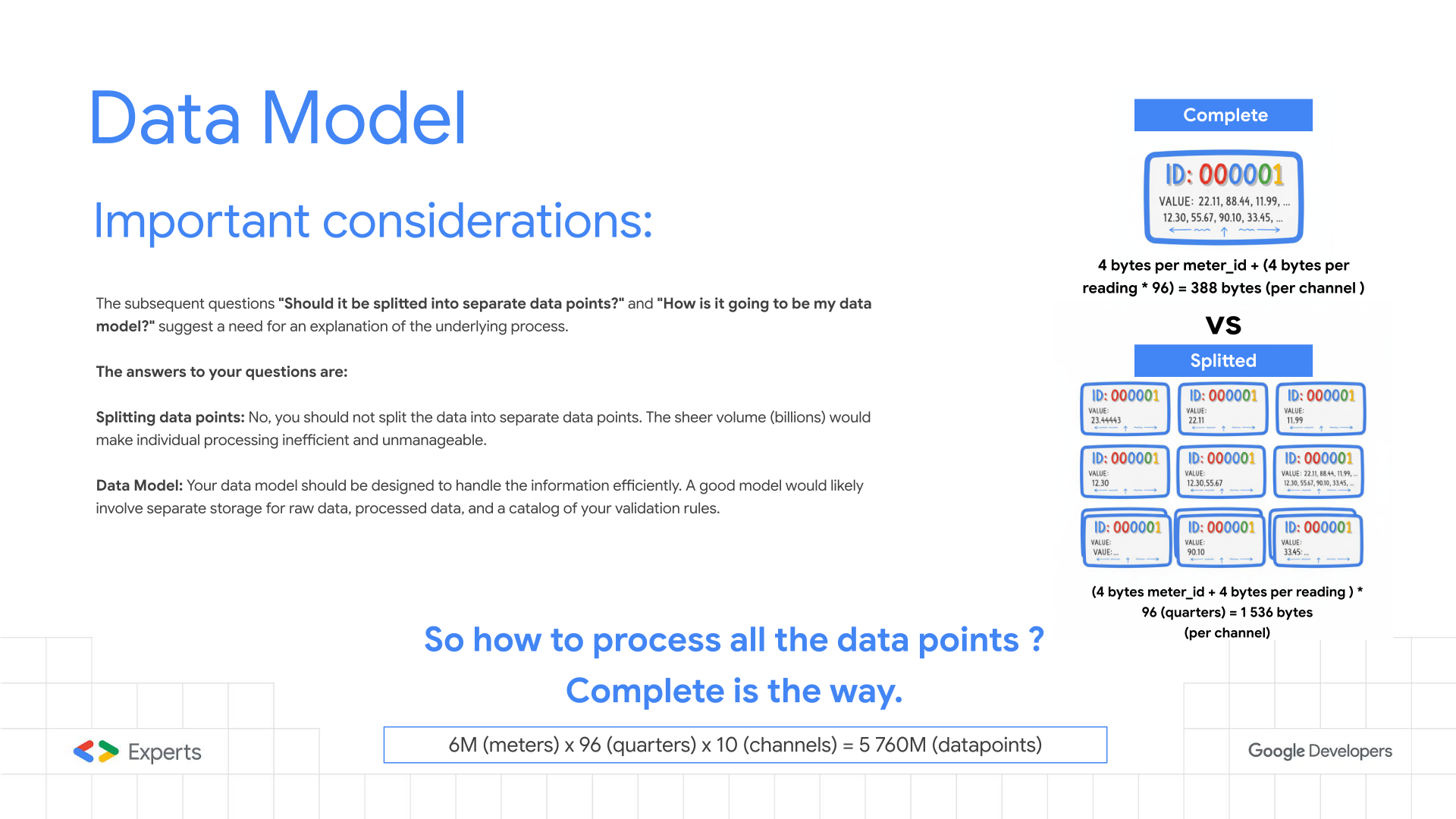
Detail: Optimizing the payload structure is the single most critical performance tuning step.
- “Splitted” Model (Anti-Pattern): Treating every 15-minute reading as a separate Pub/Sub message.
- Overhead: 5.76 Billion messages. Massive serialization/deserialization CPU cost.
- Cost: Pub/Sub and Cloud Run bill by the request count. This multiplies costs by 96x.
- “Complete” Model (Best Practice): Aggregating all 96 readings for a channel into a single “Daily Profile” message.
- Efficiency: Reduces message count from 5.76B to ~60M.
- Atomic Validation: Allows validating the entire day’s curve at once (e.g., detecting missing intervals or spikes) in a single CPU operation.
- Compression: Higher data density per network packet.
Slide 8: Simplified Architecture Diagram
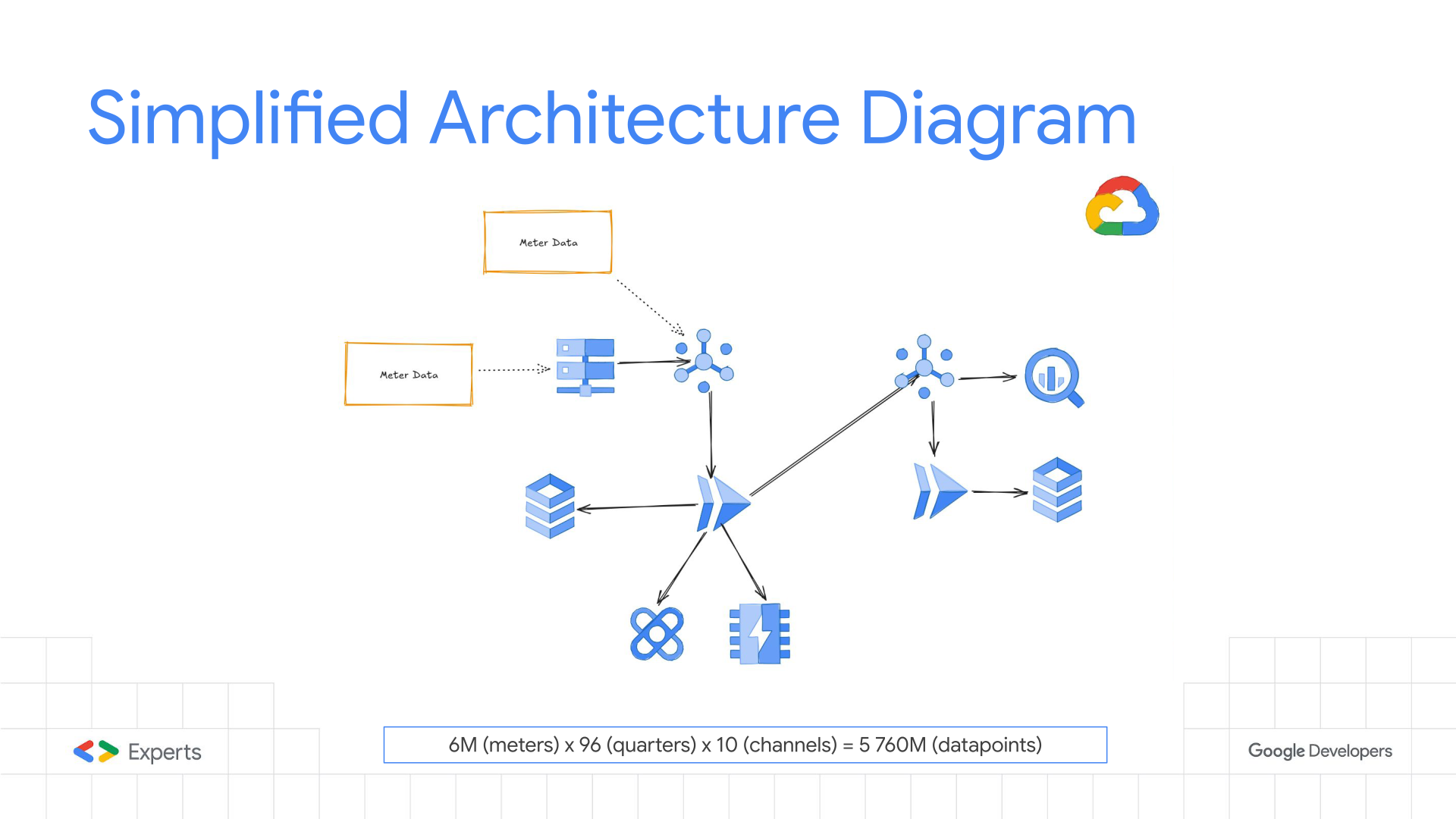
Detail: this is a very simplified architecture of the live implementation, but it represents a very different approach for data processing from the “standard” data processing methods, it’s a extremmly controlled architecture, not dataloss, retries by design, everything is controlled in detail.
The architecture implements the “Fan-Out” pattern:
- Ingest: Files land in GCS, triggering a “Splitter” Cloud Run service.
- Publish: The Splitter converts files into “Complete” profile messages and pushes them to a Pub/Sub Topic.
- Process: A subscription triggers the “Validator” Cloud Run service (Push subscription).
- Enrich: The Validator fetches rules from Redis (MemoryStore).
- Persist: Valid data flows to Cloud SQL (for transactional consistency) and BigQuery (for analytics).
- Error Handling: Failed messages are routed to a Dead Letter Topic for replay/inspection.
Slide 9: Distribution for Processing (Pub/Sub)
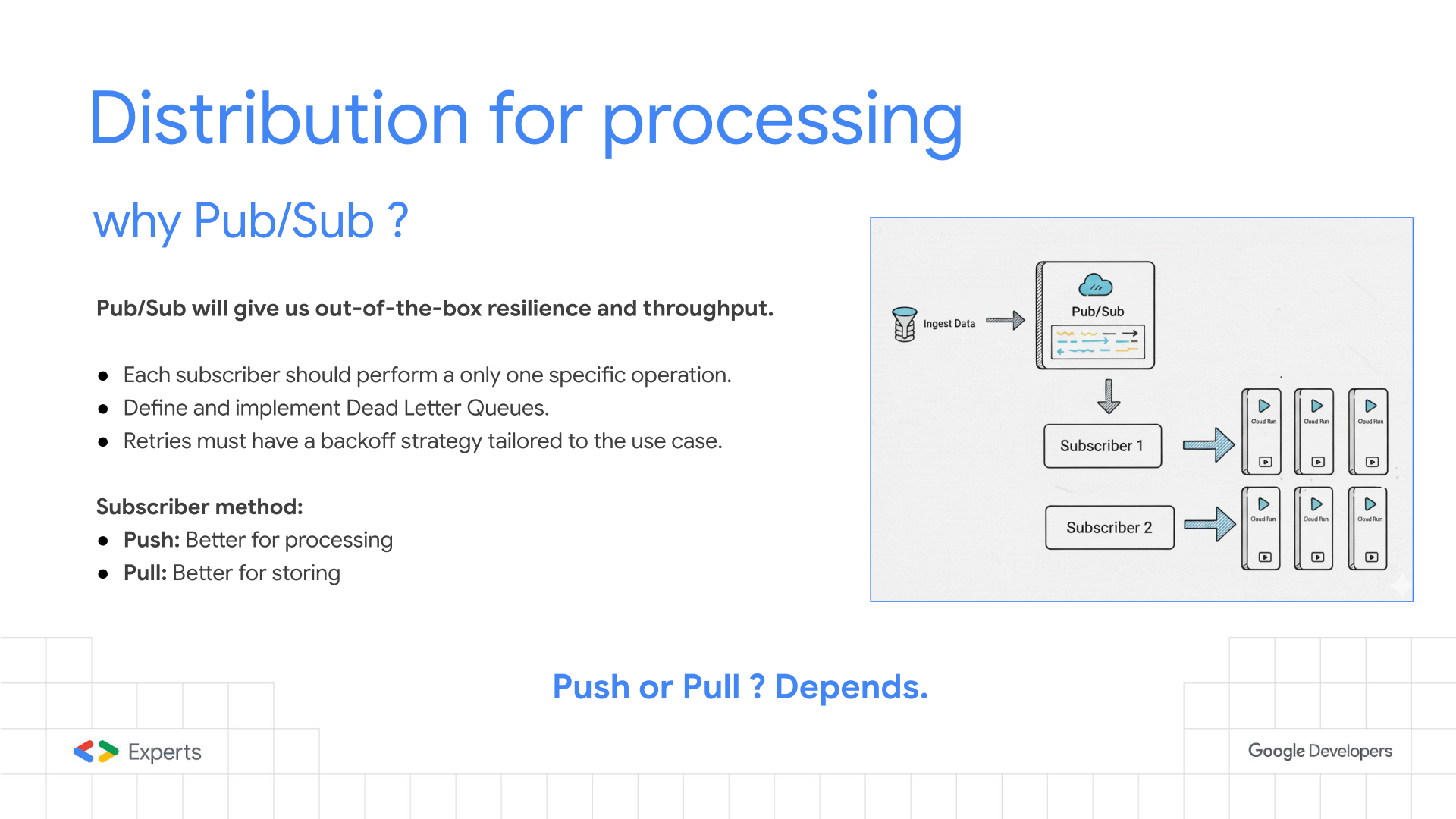
One of the main choices the push or pull, for each subscriber, Google’s Pub/Sub is a great tool allowing you to choose in the same topic wich is better for your subscriber, and you can even have multiple subscribers, giving great flexibility to implement seperate atomic processes with the same data.
Test your use case, test the best approach.
Detail: Technical nuances of Google Cloud Pub/Sub:
- Decoupling: Acts as an infinite buffer. If Cloud SQL acts up, Pub/Sub holds the messages (up to 7 days), preventing data loss.
- Push Subscription: Configured to invoke the Cloud Run endpoint. This offloads the “polling” logic to Google’s infrastructure.
- Flow Control: Pub/sub in push subscriber it uses slow-start algorithm to prevent overwhelming the Cloud Run instances or the downstream database. “After 3,000 outstanding messages per region, the window increases linearly to prevent the push endpoint from receiving too many messages. If the average latency exceeds one second or the subscriber acknowledges less than 99% of requests, the window decreases to the lower limit of 3,000 outstanding messages.”(https://docs.cloud.google.com/pubsub/docs/push). So be awer on how you configure you connection pooling and prepared instances, so the first 3k message ditacte how all the processing will be executed.
- Only one task: Each subscriber should only do one specific task, to avoid over processing when one system is down or with high lattency, it doesn’t reprocess everything, this will produce more costs and all the adjacent systems will be overwhelmed, avoid the snowball effect.
- At-Least-Once Delivery: The application logic MUST be idempotent because Pub/Sub guarantees message delivery but may deliver duplicates.
Slide 10: External Data - Cloud Storage
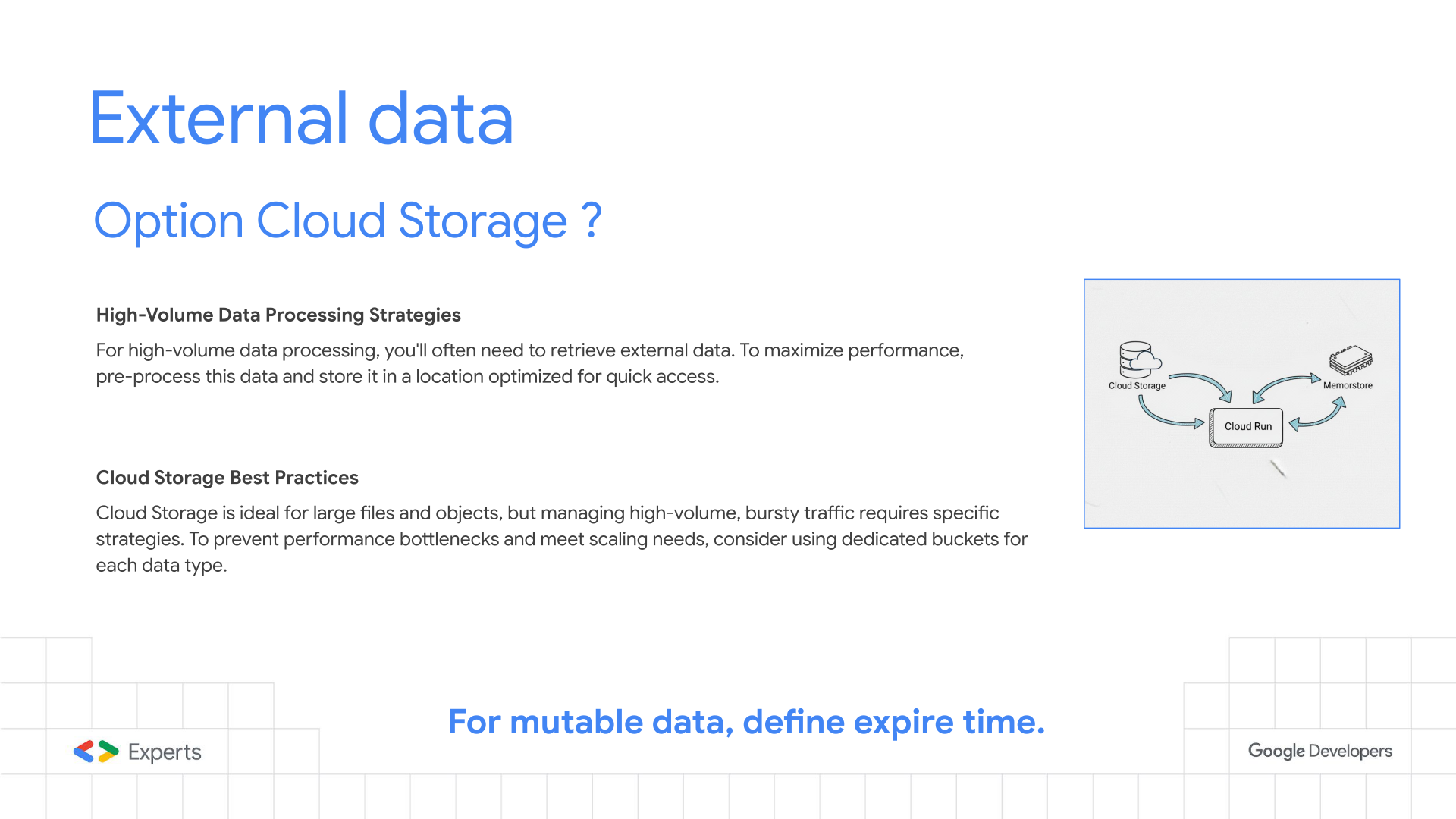
Detail:
This a great technique when treating large files, the events are propagated through pub/sub but the actual data resides in a cloud storage, when it is enriched it will be transported through the messages in the pub/sub as a more atomic unit, simpler and faster to process.
In some extreme situations the processing units of a GCP Storage can’t scale as fast as Cloud Run processes or you may have some quotas to increase, so you may need to implement some sharding to distribute in several buckets avoiding bottlenecks in your process.
Handling massive static datasets:
- Object Lifecycle: Using Object Lifecycle Management to automatically delete raw input files after X days to save costs.
- Throughput: GCS scales linearly. To avoid “hotspots,” file naming conventions (e.g., hashing prefixes) ensure load is distributed across GCS shards.
- Streaming Reads: Cloud Run services stream the file content directly from GCS rather than loading the full file into RAM, keeping memory footprint low.
Slide 11: External Data - MemoryStore
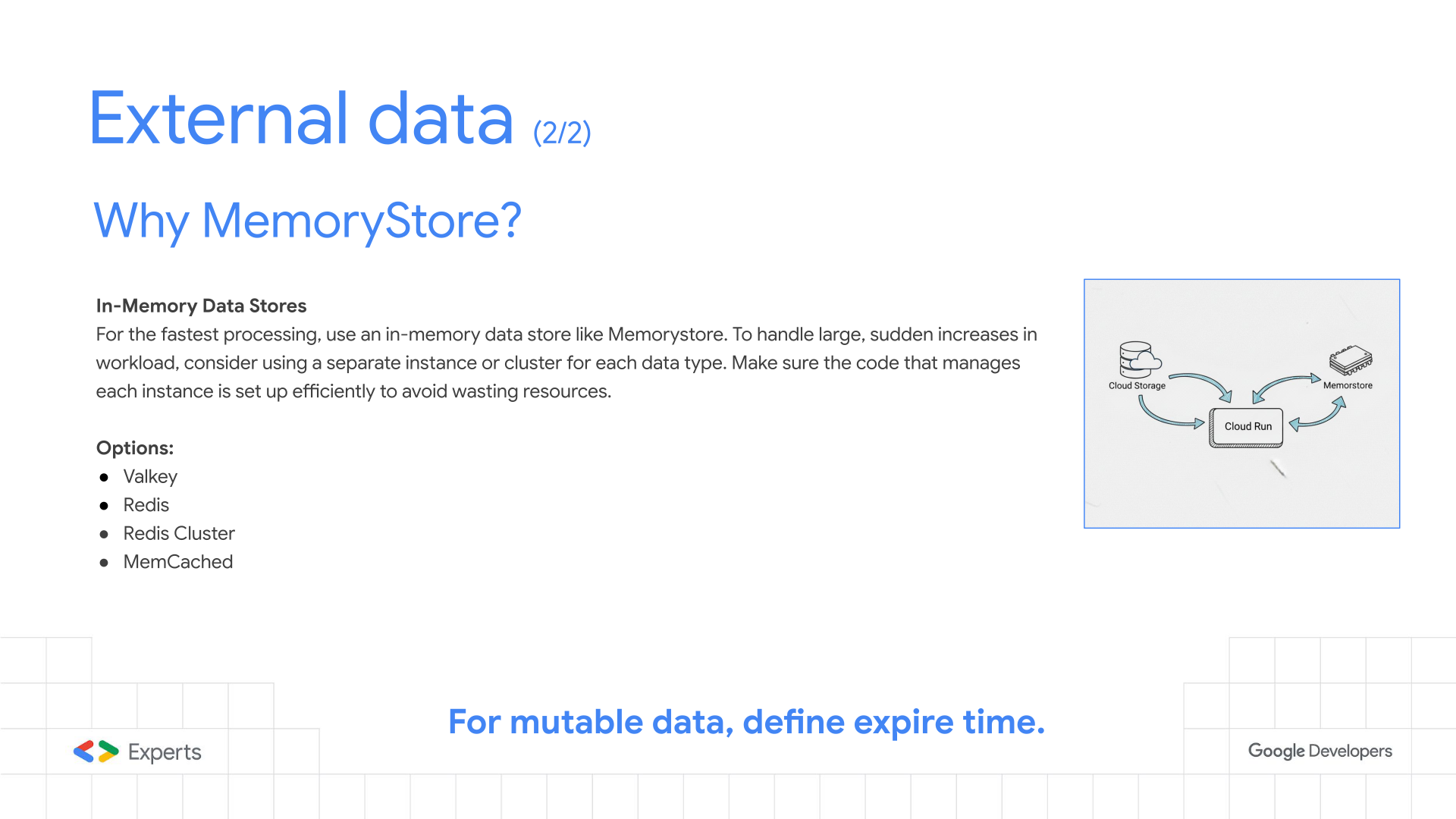
The preformance of theses processes depend on the I/O of external data, so it is very important that you prepare the data as much as possible, to avoid overwhelming the database with connections / requests. Also if you need to use a database do some entty sharding in different instances, so you can easily study wich to increment or decrement. The same applies to external APIs, cache as much as possible, so your processing goes smooth, don’t forget retries cost much more that first time executions or a component going down.
Detail: The caching layer strategy:
- Redis/Valkey: Used as a read-through cache for validation rules and contract data.
- Performance: Provides sub-millisecond response times, compared to 10-100ms for a SQL query.
- Connection Management: Since serverless instances are ephemeral, managing Redis/Valkey connections is tricky. Use global variables to keep connections alive across warm invocations.
- Pattern: “Cache-Aside” or “Lazy Loading”. If data isn’t in Redis/Valkey, fetch from DB, write to Redis/Valkey with a TTL (Time-To-Live), then return.
Slide 12: Processing - Cloud Run
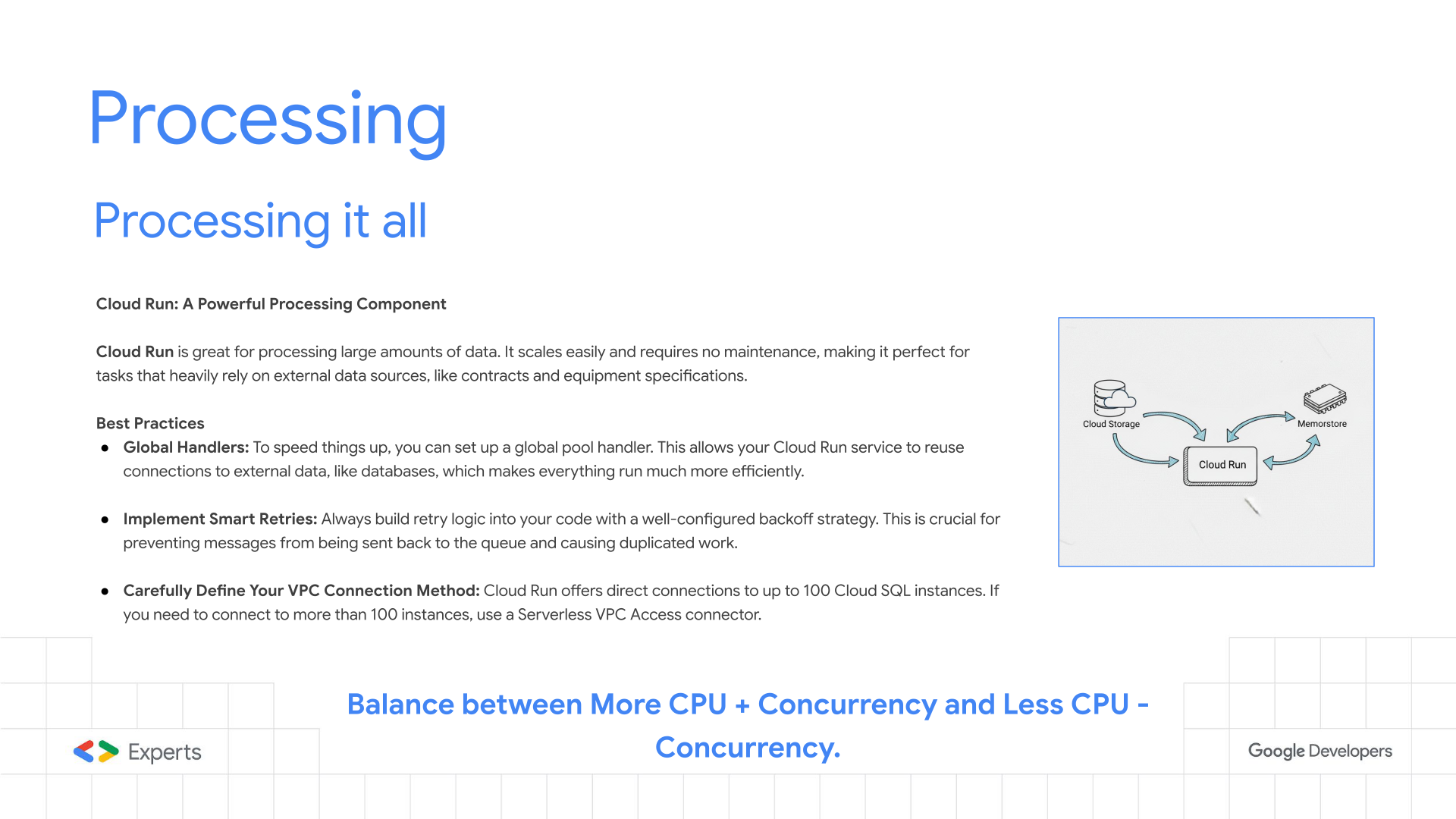
Cloud Run has a very fined tuned scaling mechanins wich makes it perfect for this use case, the global scope allows “sharing” objects and connections.
Detail: Why Cloud Run is the engine of choice:
- Concurrency: Unlike Cloud Functions (typically 1 request per instance), Cloud Run allows up to 1000 requests per container instance. In this use case it was tuned to 80 concurrent requests to balance CPU saturation vs. memory usage.
- Serverless VPC Access: A critical component connecting the serverless environment to the private Cloud SQL and Redis/Valkey instances within the VPC.
- Execution Environment: Generation 2 execution environment provides full Linux compatibility and faster file system access.
Slide 13: Code Optimizations
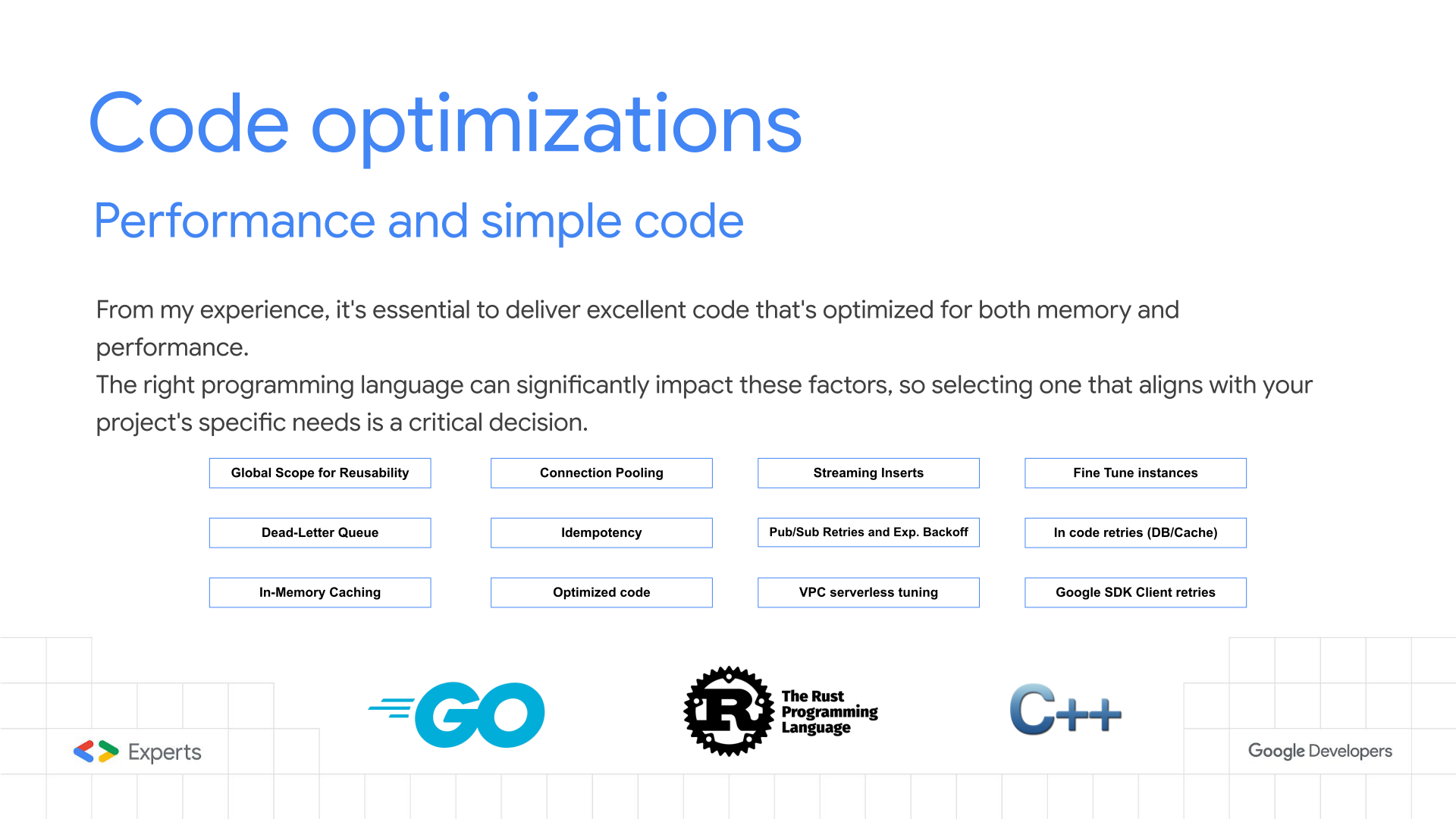
Detail: Low-level optimization techniques implemented in Go:
- Connection Pooling: Explicitly configuring
MaxOpenConnsandMaxIdleConnson thesql.DBobject to prevent opening thousands of sockets to the database. - Prepared Statements: Compiled SQL statements reduce database CPU overhead for repetitive queries.
- Bulk Inserts: Grouping valid readings into batches (e.g., 1000 rows) and performing a single
INSERTstatement (or usingCOPYprotocol) to maximize DB throughput. (Use the Pull subscrition to create the SQL Bulk Statement) - JSON Parsing: Using high-performance JSON decoders (like
easyjsonorfastjson) instead of standard reflection-based libraries to save CPU cycles.
Slide 14: Proven Results
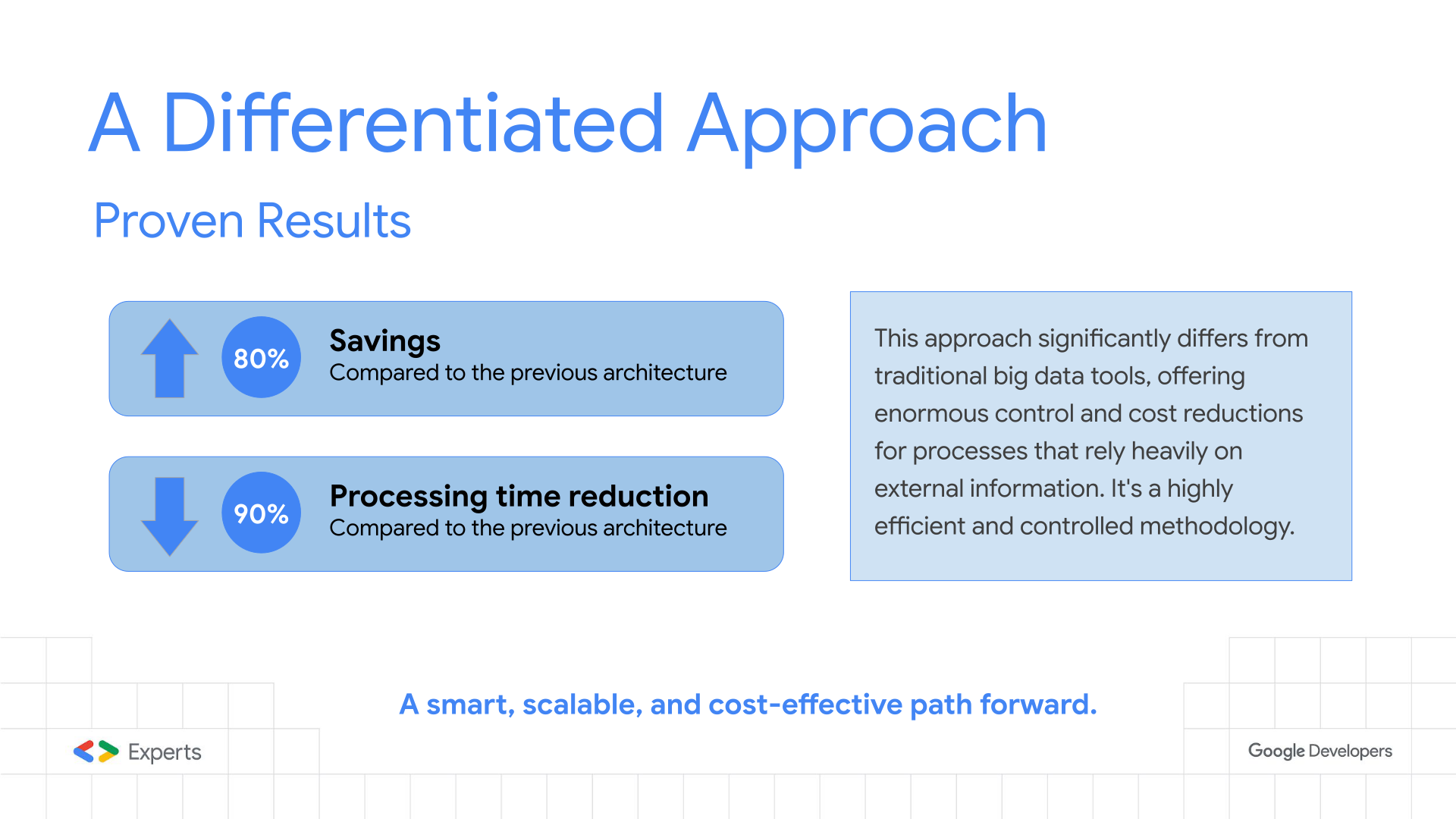
In some situation we reached optimizations of this level, replacing “classic” data processing approaches.
Invest in Proof-of-Concept, it is a great way to test your use case and to fine tune you data-driven process.
Detail: The tangible business impact:
- Cost Reduction (80%): achieved by eliminating idle VMs and switching to second-level billing. The “Complete” data model also drastically reduced Pub/Sub and API operation costs.
- Performance (90% Faster): The massive parallelism allowed processing the 4-hour workload in under 30 minutes in some test cases, providing ample buffer for retries and system recovery.
Slide 15: Questions?
For further inquiries, feel free to reach out via email at nja@nja.dev.
Detail: The Q&A session typically covers topics like:
- “How do you handle schema changes?” (Avro/Protobuf vs JSON).
- “How do you monitor this?” (Cloud Monitoring & Distributed Tracing with Cloud Trace).
- “What happens if the DB locks?” (Backoff strategies and circuit breakers).
Slide 16: Thank You!
Detail: Closing remarks and contact info.
- LinkedIn: Nuno João Andrade
- Community: Encouraging participation in the Google Developer Experts (GDE) program and local GDG chapters.