AI Exam Prep with Google ADK & Local Gemma 4: Hands-On JavaScript Code-Along (IADE & GDG Lisbon)
A complete, code-first JavaScript (ES Modules) workshop and architectural guide on building a 100% offline AI Exam Prep platform with Google ADK (@google/adk), local Gemma 4 (gemma4:e2b via Ollama), area-parameterized Markdown RAG (data/[area]/[content files]), Socratic mentoring with ADK Web UI, deterministic rubric grading with OpenAPI 3.0.3 (Swagger) on the API root, and an optional IADE-inspired React Student Web Interface (step-06-web-ui).
AI Exam Prep with Google ADK & Local Gemma 4: Hands-On JavaScript Code-Along
Workshop GitHub Repository: https://github.com/nuno-joao-andrade-dev/ai-exam-prep Interactive Presentation Slides: https://nuno-joao-andrade-dev.github.io/ai-exam-prep/slides/
Special Thanks: A special thank you to IADE, Lurdes Ferraz, Nathan Campos, GDG Lisbon, and Eimy Blanco for the invitation, organization, and support in making this hands-on session possible!
Welcome to the complete technical walkthrough of the AI Exam Prep in Plain JavaScript — Step-by-Step Code-Along Workshop, presented with IADE and GDG Lisbon. In this practical engineering session, we build a complete, 100% local and offline AI Exam Preparation & Socratic Study System from the ground up using Plain JavaScript (ES Modules, Node.js 22+), the Google Agent Development Kit (@google/adk), Local Gemma 4 (gemma4:e2b) running via Ollama, an Express API with interactive OpenAPI 3.0.3 (Swagger) documentation on its root endpoint (step-05-grading-complete), and an optional IADE-inspired React + Vite Student Web Interface (step-06-web-ui).
Instead of relying on opaque cloud wrappers, complex TypeScript compilation pipelines, or external vector database containers, this workshop demonstrates how to structure a clean, modular agentic pipeline where study materials live in data/[area]/[content files] and any subject area (javascript, ai-agents, cloud, or your own custom Markdown notes) can be passed dynamically as a CLI argument, REST payload, or URL parameter.
[!NOTE] Primary Architectural Goal: Empower developers and students to build a privacy-first, zero-API-cost agentic study companion that grounds every exam question, Socratic hint, and rubric evaluation strictly in local Markdown study notes (
data/[area]/*.md), while supporting interactive CLI execution, the Google ADK DevTools Web UI (adk web), an OpenAPI 3.0.3 (Swagger) Explorer onhttp://localhost:3000/, and an IADE-inspired React Student Portal (step-06-web-ui) onhttp://localhost:5173/.
About the Speaker & the GDG Lisbon + IADE Session
This workshop was created for the IADE — Faculdade de Design, Tecnologia e Comunicação academic and developer community in partnership with Google Developer Groups (GDG) Lisbon by Nuno João Andrade (nja.dev), Google Developer Expert (GDE) in Google Cloud & Modern Infrastructure and Senior Backend & Cloud Architect.
- Plain JavaScript by Design: Every core step (
step-01-setupthroughstep-05-grading-complete) is written in native Node.js ES Modules (.js) using built-infetch()—zero TypeScript build steps, zero external HTTP client bloat, and instant execution inside each folder (cd step-0X-... && npm start <area>). - Dynamic Content Parameterization (
data/[area]/[content files]): Drop any.mdor.txtfiles intodata/<area>/and pass<area>as a parameter in the terminal (node index.js javascript,node index.js ai-agents,node index.js cloud) or in the Step 06 React Web UI (?area=javascriptor via the + Pass Custom Content Parameter drawer). - OpenAPI-First Backend + IADE-Inspired Frontend: Step 05 serves a full OpenAPI 3.0.3 (Swagger) specification and interactive Swagger UI directly at the API root (
GET http://localhost:3000/), which Step 06 (Optional) consumes from a React interface styled after the official IADE digital identity (#000000black header,#3cdbc0turquoise,#f000ffmagenta,#0047bbroyal blue, andLatotypography).
Why Local-First Agentic Exam Prep? Ad-Hoc Cloud Chat vs. Structured ADK + Local Gemma 4
When students or engineering teams use generic cloud chatbots to study for technical exams, three problems immediately surface: hallucinated syllabus details, instant answer spoilers (which rob the learner of active recall), and inconsistent grading. Comparing ad-hoc chat with our structured Google ADK + Local Gemma 4 architecture highlights why a deterministic multi-step pipeline is essential:
| Dimension | Ad-Hoc Cloud LLM Chat | Local-First AI Exam Prep (@google/adk + gemma4:e2b) |
|---|---|---|
| Syllabus Grounding | Unbounded general knowledge; often invents APIs or concepts outside the course | Grounded strictly in data/[area]/[content files] via an ADK FunctionTool (search_area_content) |
| Exam Structure | Unstructured prose questions with arbitrary point values | Deterministic 20-point JSON Schema (EXAM_JSON_SCHEMA) validated at runtime with Zod |
| Learning Pedagogy | Spoils the full solution immediately when asked for help | Socratic Study Mentor Agent (step-04-socratic-agent) gives a 2–4 sentence hint + one guiding question |
| Answer Grading | Vague “Good job!” feedback without criterion-level breakdown | Deterministic Rubric Grader (step-05-grading-complete) scoring each criterion against data/[area]/ notes |
| API Discoverability | Undocumented custom endpoints | OpenAPI 3.0.3 (Swagger) served on GET /, /openapi.json, and /swagger.json (http://localhost:3000/) |
| Student Experience | Raw terminal or generic chat window | Step 06 (Optional): IADE-Inspired React Web UI (step-06-web-ui) with area cards, live question generation, Socratic chat, and rubric scorecards |
| Cost & Privacy | Requires paid API keys and sends study notes to external servers | 100% Offline & Free: runs locally on gemma4:e2b via Ollama (127.0.0.1:11434) |
System Architecture Blueprint & Progressive Curriculum (step-01 to step-06)
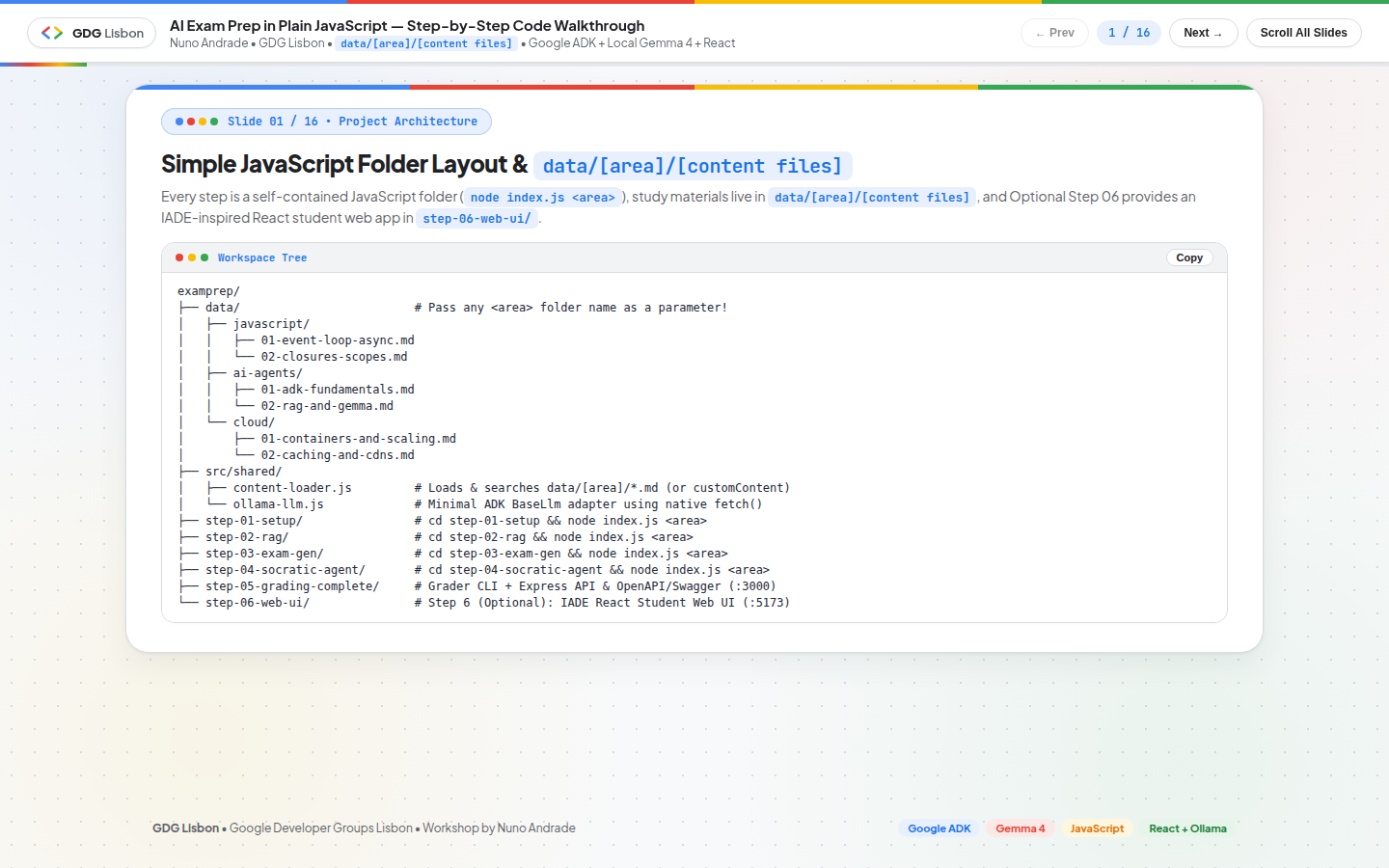
The repository is organized into shared foundation helpers (src/shared/), five progressive self-contained backend/agent step folders (step-01-setup to step-05-grading-complete), and an optional Step 06 IADE-inspired React web interface (step-06-web-ui/):
1
2
3
4
5
6
7
8
9
10
11
12
13
14
15
16
17
18
19
20
examprep/
├── data/                         # Pass any <area> folder name as a parameter!
│   ├── javascript/
│   │   ├── 01-event-loop-async.md
│   │   └── 02-closures-scopes.md
│   ├── ai-agents/
│   │   ├── 01-adk-fundamentals.md
│   │   └── 02-rag-and-gemma.md
│   └── cloud/
│       ├── 01-containers-and-scaling.md
│       └── 02-caching-and-cdns.md
├── src/shared/
│   ├── content-loader.js         # Loads & searches data/[area]/*.md (or customContent)
│   └── ollama-llm.js             # Minimal ADK BaseLlm adapter using native fetch()
├── step-01-setup/                # Step 1: Verify Ollama + ADK LlmAgent
├── step-02-rag/                  # Step 2: ADK FunctionTool over data/[area]/
├── step-03-exam-gen/             # Step 3: Structured 20-pt JSON exam + rubric generator
├── step-04-socratic-agent/       # Step 4: Multi-turn Socratic Mentor + `adk web` UI
├── step-05-grading-complete/     # Step 5: Rubric grader + Express API + OpenAPI/Swagger on `/` (:3000)
└── step-06-web-ui/               # Step 6 (Optional): IADE-inspired React Student Web UI (:5173 -> :3000)
The Workshop Roadmap (Steps 01–05 + Optional Step 06)
| Step Folder | Architectural Focus | Key Primitives Demonstrated | Execution Command |
|---|---|---|---|
step-01-setup/ | Connectivity & First ADK Agent Turn | OllamaGemmaLlm (BaseLlm), LlmAgent, InMemoryRunner, loadAreaContent(area) | cd step-01-setup && npm start javascript |
step-02-rag/ | Area Content RAG Tool | FunctionTool (search_area_content), Zod tool parameters, heading-aware Markdown chunking | cd step-02-rag && npm start javascript |
step-03-exam-gen/ | Structured 20-Point Exam & Rubric Generator | Ollama JSON Schema (format: EXAM_JSON_SCHEMA), ExamQuestionSchema Zod validation | cd step-03-exam-gen && npm start javascript |
step-04-socratic-agent/ | Multi-Turn Socratic Mentor & ADK DevTools Web UI | Multi-turn InMemoryRunner, Socratic system rules, export const rootAgent, adk web (:8000) | cd step-04-socratic-agent && npm start javascript (or npm run web) |
step-05-grading-complete/ | Deterministic Rubric Grader, Express API & OpenAPI (Swagger) Root | Criterion-by-criterion JSON grading (EVALUATION_JSON_SCHEMA), REST API + OpenAPI 3.0.3 UI on GET / (:3000) | cd step-05-grading-complete && npm start javascript (or npm run server) |
step-06-web-ui/ (Optional) | IADE-Inspired React Student Web Interface | Area selector hero (javascript, ai-agents, cloud), live question generation via Step 05 API, Socratic Coach, Markdown Preview boxes | cd step-06-web-ui && npm start (or npm run step06) |
Step 0: Environment Setup & Offline Model Distribution
1. Install Node.js 22+ & Ollama Local LLM Runtime
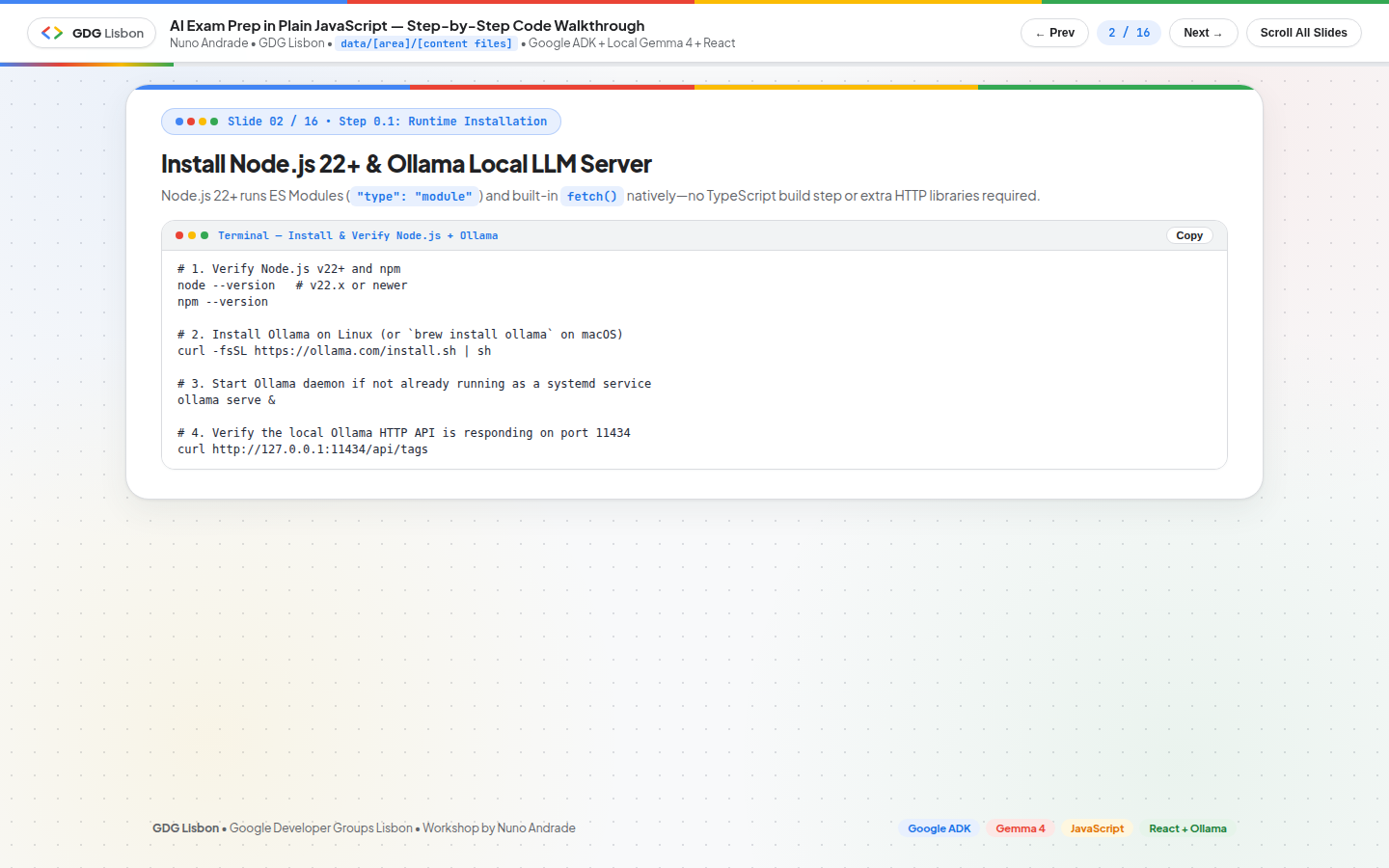
Node.js 22+ runs ES Modules ("type": "module") and built-in fetch() natively—no TypeScript build step or external HTTP libraries required:
1
2
3
4
5
6
7
8
9
10
11
12
# 1. Verify Node.js v22+ and npm
node --version   # v22.x or newer
npm --version

# 2. Install Ollama on Linux (or `brew install ollama` on macOS)
curl -fsSL https://ollama.com/install.sh | sh

# 3. Start Ollama daemon if not already running as a systemd service
ollama serve &

# 4. Verify the local Ollama HTTP API is responding on port 11434
curl http://127.0.0.1:11434/api/tags
2. Pull Local gemma4:e2b & Install Workspace Dependencies
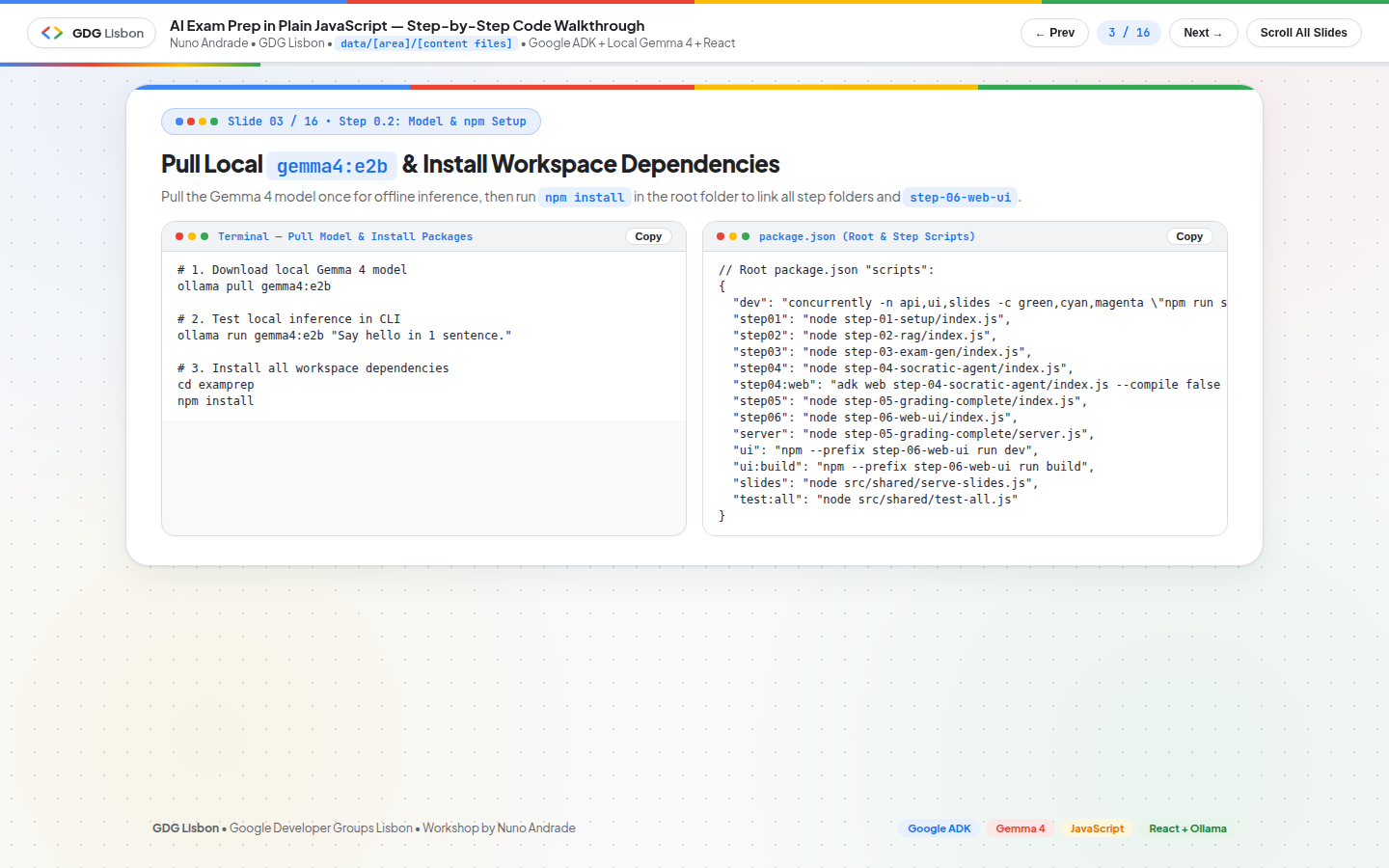
Pull the local Gemma 4 model (gemma4:e2b) once for offline inference, then run npm install at the repository root to link all step workspaces (step-01-setup through step-06-web-ui):
1
2
3
4
5
6
7
8
9
10
# 1. Download local Gemma 4 model
ollama pull gemma4:e2b

# 2. Test local inference in CLI
ollama run gemma4:e2b "Say hello in 1 sentence."

# 3. Clone the repository and install all workspace dependencies
git clone https://github.com/nuno-joao-andrade-dev/ai-exam-prep.git
cd ai-exam-prep
npm install
[!TIP] Classroom Offline USB Model Installation (
OLLAMAMODEL): In a live classroom where 30+ participants shouldn’t download 4.6 GB over venue Wi-Fi simultaneously, the repository includes OFFLINE-MODEL-SETUP.md with ready-to-run commands for copying themodels/folder (blobs/,manifests/,manifests-v2/,metadata/) directly from theOLLAMAMODELUSB drive on Windows (PowerShell), macOS, and Linux with zero internet usage.
The root package.json provides clean scripts for running individual steps, launching the Google ADK DevTools Web UI (step04:web), starting the Step 05 OpenAPI Server (server), or launching Step 06 (Optional) IADE React Web UI (step06):
1
2
3
4
5
6
7
8
9
10
11
12
13
14
15
16
17
{
  "scripts": {
    "dev": "concurrently -n api,ui,slides -c green,cyan,magenta \"npm run server\" \"npm run ui\" \"npm run slides\"",
    "step01": "node step-01-setup/index.js",
    "step02": "node step-02-rag/index.js",
    "step03": "node step-03-exam-gen/index.js",
    "step04": "node step-04-socratic-agent/index.js",
    "step04:web": "adk web step-04-socratic-agent/index.js --compile false --bundle false",
    "step05": "node step-05-grading-complete/index.js",
    "step06": "node step-06-web-ui/index.js",
    "server": "node step-05-grading-complete/server.js",
    "ui": "npm --prefix step-06-web-ui run dev",
    "ui:build": "npm --prefix step-06-web-ui run build",
    "slides": "node src/shared/serve-slides.js",
    "test:all": "node src/shared/test-all.js"
  }
}
Shared Core Architecture: data/[area]/[content files] & the ADK Ollama Adapter
1. Organizing Study Notes in data/[area]/[content files]
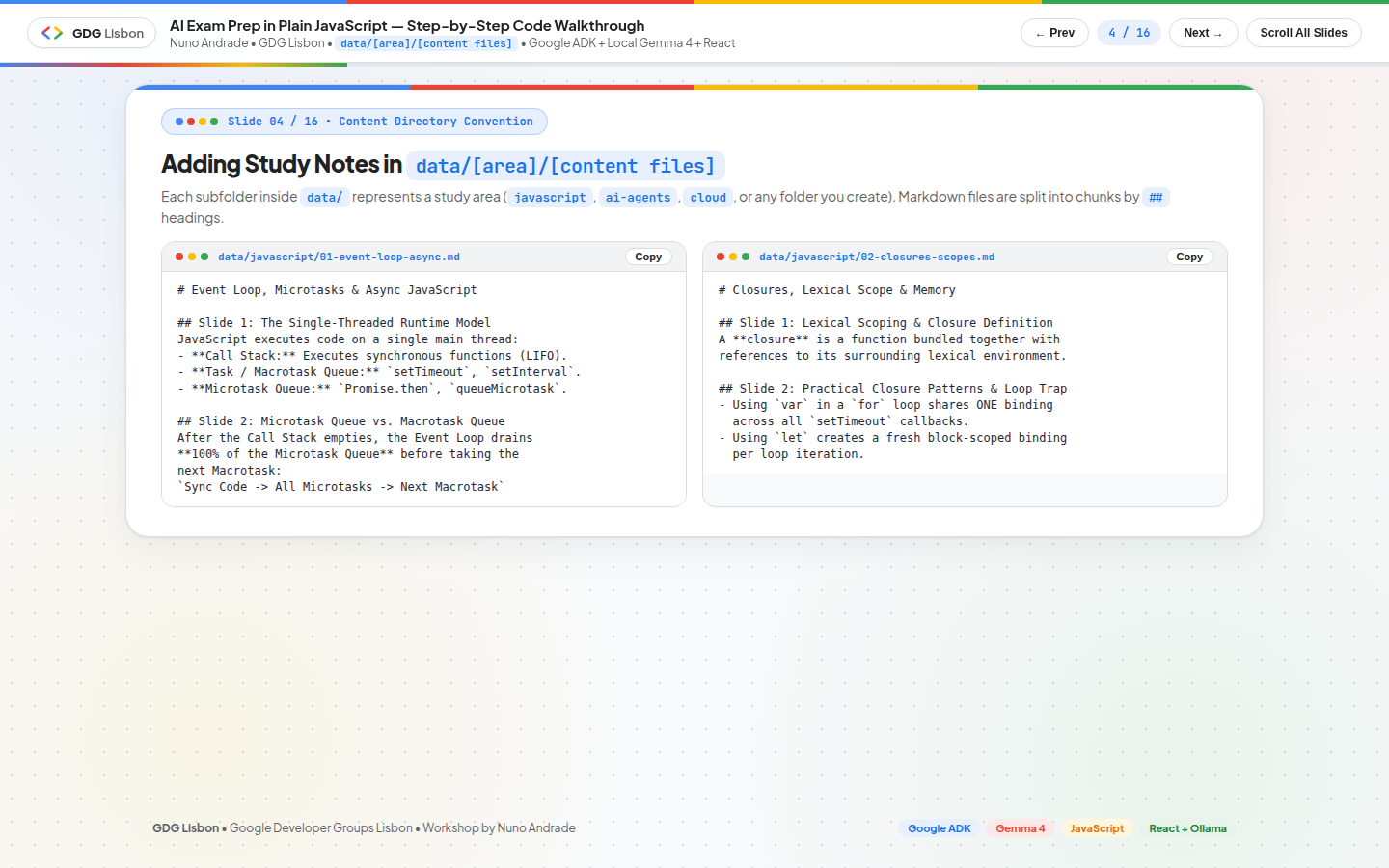
Every subfolder inside data/ represents a study area (javascript, ai-agents, cloud, or any new folder you create). Markdown files inside each area folder are automatically split into semantic sections by ## headings:
1
2
3
4
5
6
7
8
9
10
11
12
13
<!-- data/javascript/01-event-loop-async.md -->
# Event Loop, Microtasks & Async JavaScript

## Slide 1: The Single-Threaded Runtime Model
JavaScript executes code on a single main thread:
- **Call Stack:** Executes synchronous functions (LIFO).
- **Task / Macrotask Queue:** `setTimeout`, `setInterval`.
- **Microtask Queue:** `Promise.then`, `queueMicrotask`.

## Slide 2: Microtask Queue vs. Macrotask Queue
After the Call Stack empties, the Event Loop drains **100% of the Microtask Queue**
before taking the next Macrotask:
`Sync Code -> All Microtasks -> Next Macrotask`
2. Loading & Chunking Area Files (src/shared/content-loader.js)
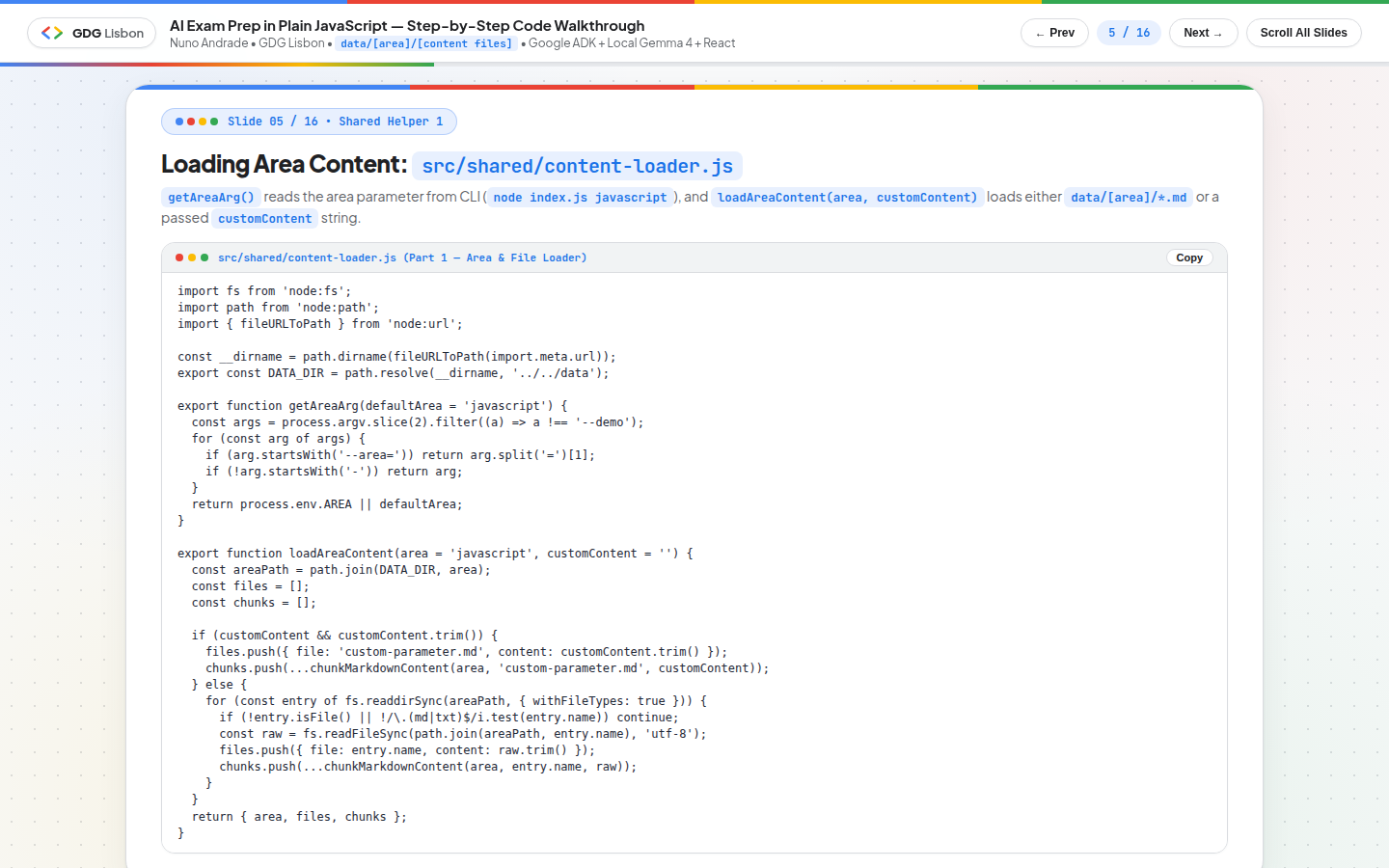
getAreaArg() reads the <area> parameter from the command line (node index.js javascript), while loadAreaContent(area, customContent) loads either the Markdown files in data/[area]/ or a raw customContent Markdown string passed dynamically from the React Web UI:
1
2
3
4
5
6
7
8
9
10
11
12
13
14
15
16
17
18
19
20
21
22
23
24
25
26
27
28
// src/shared/content-loader.js
export function getAreaArg(defaultArea = 'javascript') {
  const args = process.argv.slice(2).filter((a) => a !== '--demo');
  for (const arg of args) {
    if (arg.startsWith('--area=')) return arg.split('=')[1];
    if (!arg.startsWith('-')) return arg;
  }
  return process.env.AREA || defaultArea;
}

export function loadAreaContent(area = 'javascript', customContent = '') {
  const areaPath = path.join(DATA_DIR, area);
  const files = [];
  const chunks = [];

  if (customContent && customContent.trim()) {
    files.push({ file: 'custom-parameter.md', content: customContent.trim() });
    chunks.push(...chunkMarkdownContent(area, 'custom-parameter.md', customContent));
  } else {
    for (const entry of fs.readdirSync(areaPath, { withFileTypes: true })) {
      if (!entry.isFile() || !/\.(md|txt)$/i.test(entry.name)) continue;
      const raw = fs.readFileSync(path.join(areaPath, entry.name), 'utf-8');
      files.push({ file: entry.name, content: raw.trim() });
      chunks.push(...chunkMarkdownContent(area, entry.name, raw));
    }
  }
  return { area, files, chunks };
}
3. Keyword & Heading-Boosted Retrieval (searchAreaContent)
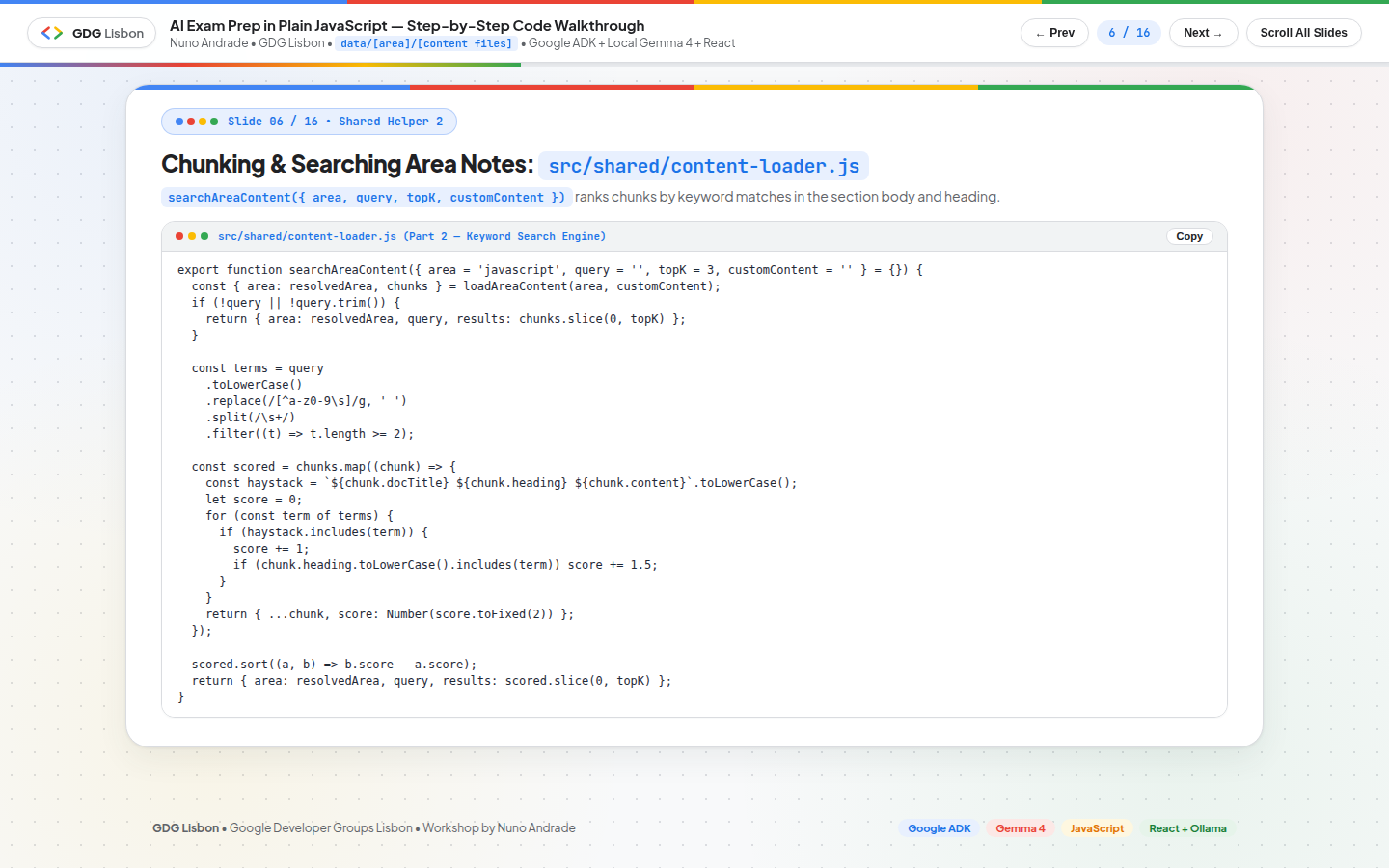
Rather than requiring an external vector database container, searchAreaContent({ area, query, topK, customContent }) scores each Markdown section by keyword frequency with a +1.5 relevance boost when query terms appear in the section heading:
1
2
3
4
5
6
7
8
9
10
11
12
13
14
15
16
17
18
19
20
21
22
23
24
25
26
27
export function searchAreaContent({ area = 'javascript', query = '', topK = 3, customContent = '' } = {}) {
  const { area: resolvedArea, chunks } = loadAreaContent(area, customContent);
  if (!query || !query.trim()) {
    return { area: resolvedArea, query, results: chunks.slice(0, topK) };
  }

  const terms = query
    .toLowerCase()
    .replace(/[^a-z0-9\s]/g, ' ')
    .split(/\s+/)
    .filter((t) => t.length >= 2);

  const scored = chunks.map((chunk) => {
    const haystack = `${chunk.docTitle} ${chunk.heading} ${chunk.content}`.toLowerCase();
    let score = 0;
    for (const term of terms) {
      if (haystack.includes(term)) {
        score += 1;
        if (chunk.heading.toLowerCase().includes(term)) score += 1.5;
      }
    }
    return { ...chunk, score: Number(score.toFixed(2)) };
  });

  scored.sort((a, b) => b.score - a.score);
  return { area: resolvedArea, query, results: scored.slice(0, topK) };
}
4. Bridging @google/adk to Local Ollama (src/shared/ollama-llm.js)
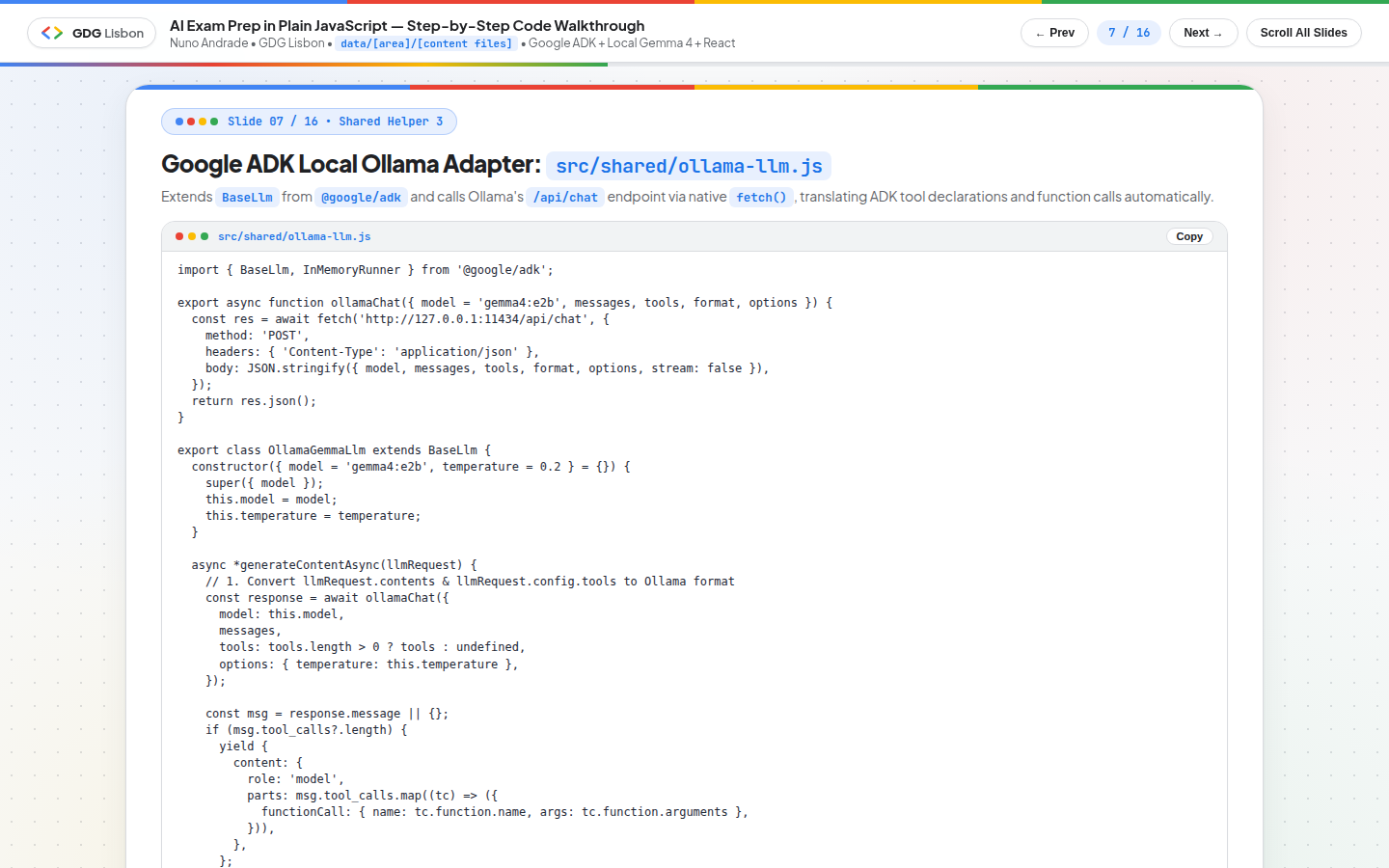
OllamaGemmaLlm extends BaseLlm from @google/adk and communicates with Ollama’s /api/chat endpoint using Node’s native fetch(), automatically translating ADK functionDeclarations into Ollama tools and yielding ADK functionCall parts when gemma4:e2b invokes a tool:
1
2
3
4
5
6
7
8
9
10
11
12
13
14
15
16
17
18
19
20
21
22
23
24
25
26
27
28
29
30
31
32
import { BaseLlm, InMemoryRunner } from '@google/adk';

export class OllamaGemmaLlm extends BaseLlm {
  constructor({ model = 'gemma4:e2b', temperature = 0.2 } = {}) {
    super({ model });
    this.model = model;
    this.temperature = temperature;
  }

  async *generateContentAsync(llmRequest) {
    const response = await ollamaChat({
      model: this.model,
      messages: buildOllamaMessages(llmRequest),
      tools: buildOllamaTools(llmRequest),
      options: { temperature: this.temperature },
    });

    const msg = response.message || {};
    if (msg.tool_calls?.length) {
      yield {
        content: {
          role: 'model',
          parts: msg.tool_calls.map((tc) => ({
            functionCall: { name: tc.function.name, args: tc.function.arguments },
          })),
        },
      };
      return;
    }
    yield { content: { role: 'model', parts: [{ text: msg.content || '' }] } };
  }
}
Step-by-Step Hands-On Walkthrough (step-01 to step-05)
Step 01: Setup & Hello Gemma 4 (step-01-setup/index.js)
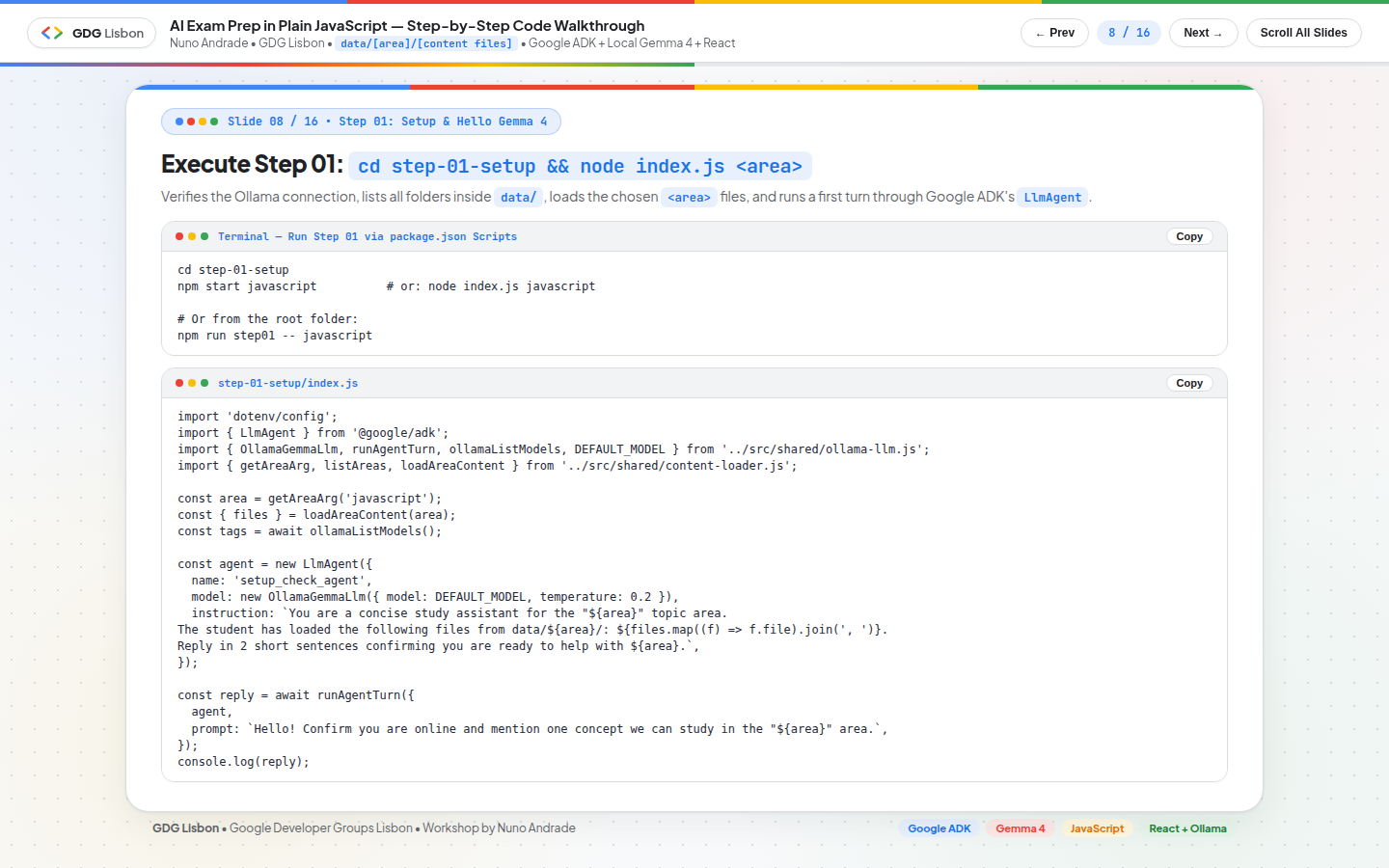
Goal: Verify that Ollama is reachable, list all study areas inside data/, load the Markdown files for the selected <area>, and run a first turn through Google ADK’s LlmAgent.
1
2
3
4
5
6
# Run from inside the Step 01 folder:
cd step-01-setup
npm start javascript          # or: node index.js ai-agents / node index.js cloud

# Or from the root folder:
npm run step01 -- javascript
Step 02: Area Content RAG Tool (step-02-rag/index.js)
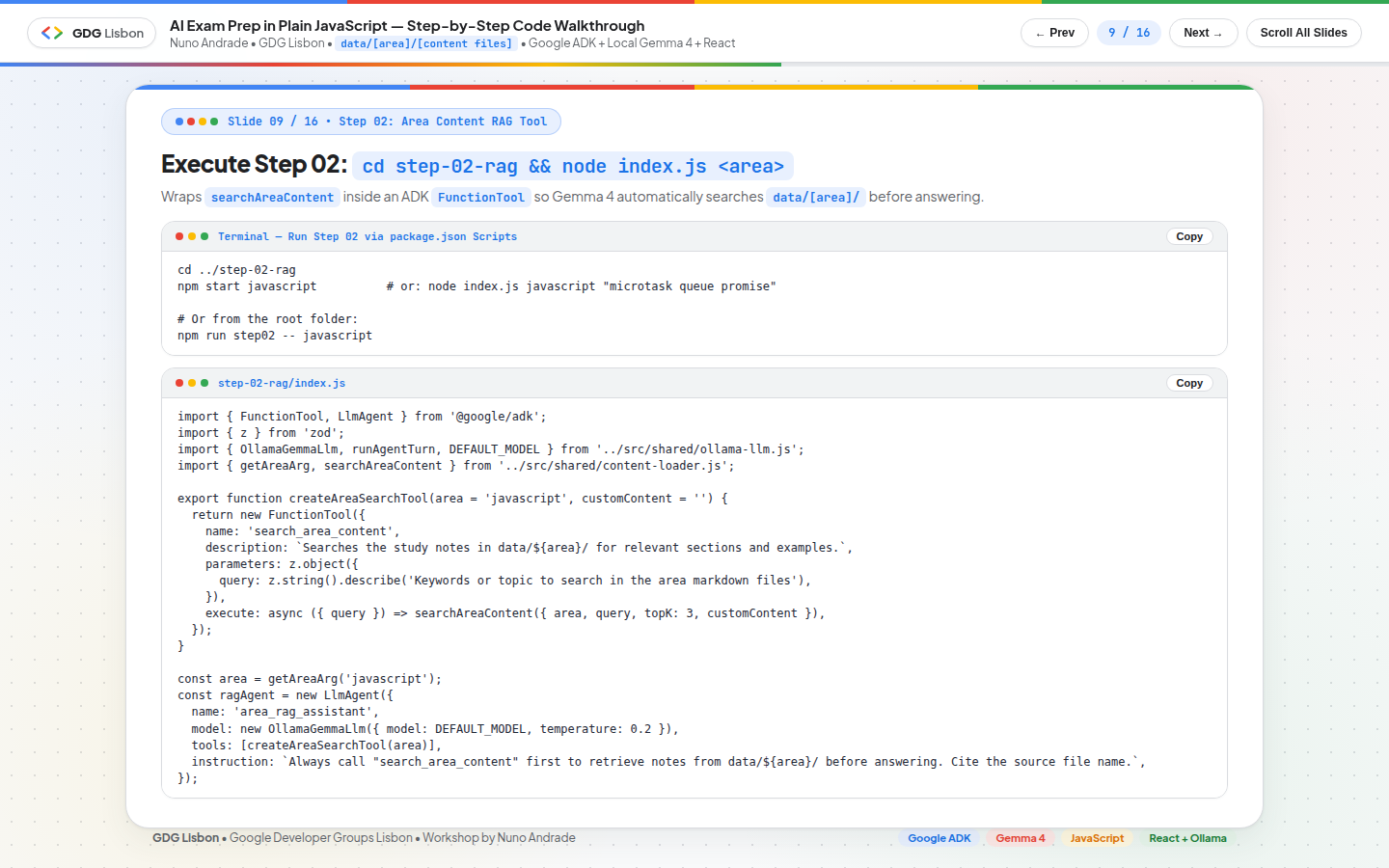
Goal: Wrap searchAreaContent inside a Google ADK FunctionTool (search_area_content) with a Zod parameter schema so gemma4:e2b automatically searches data/[area]/ and cites the exact Markdown file before answering.
1
2
3
4
5
6
# Run from inside the Step 02 folder:
cd ../step-02-rag
npm start javascript          # or: node index.js javascript "microtask queue promise"

# Or from the root folder:
npm run step02 -- cloud
Step 03: Structured 20-Point Exam & Rubric Generator (step-03-exam-gen/index.js)
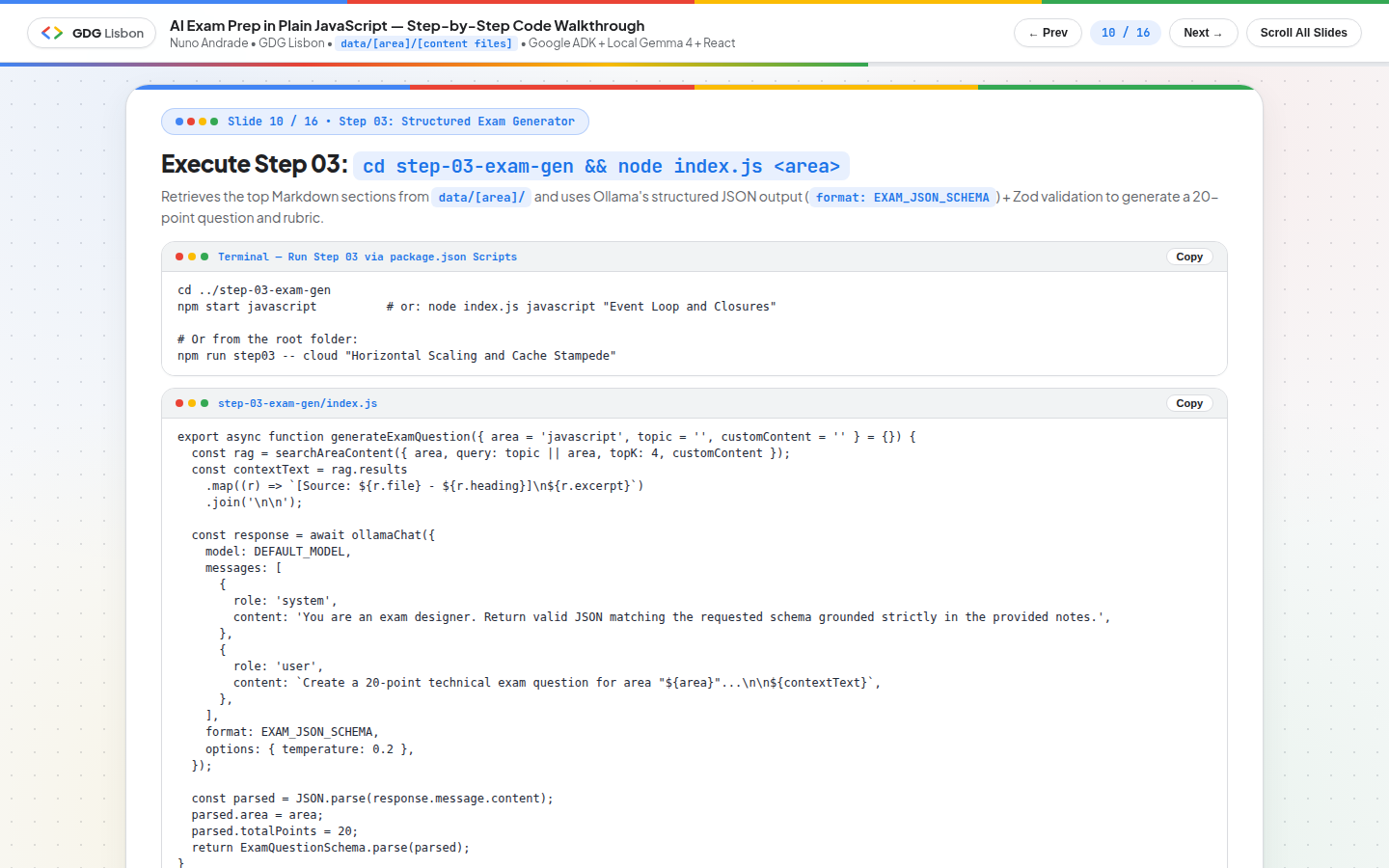
Goal: Retrieve the top Markdown chunks from data/[area]/ and use Ollama’s structured JSON schema mode (format: EXAM_JSON_SCHEMA) combined with ExamQuestionSchema.parse(...) (Zod) to generate a deterministic 20-point technical exam question, realistic scenario, 3-criterion grading rubric (8 + 7 + 5 = 20 points), and sample ideal answer.
1
2
3
4
5
6
# Run from inside the Step 03 folder:
cd ../step-03-exam-gen
npm start javascript          # or: node index.js javascript "Event Loop and Closures"

# Or from the root folder:
npm run step03 -- cloud "Horizontal Scaling and Cache Stampede"
Step 04: Socratic Study Mentor Agent & Google ADK Web UI (step-04-socratic-agent/index.js)
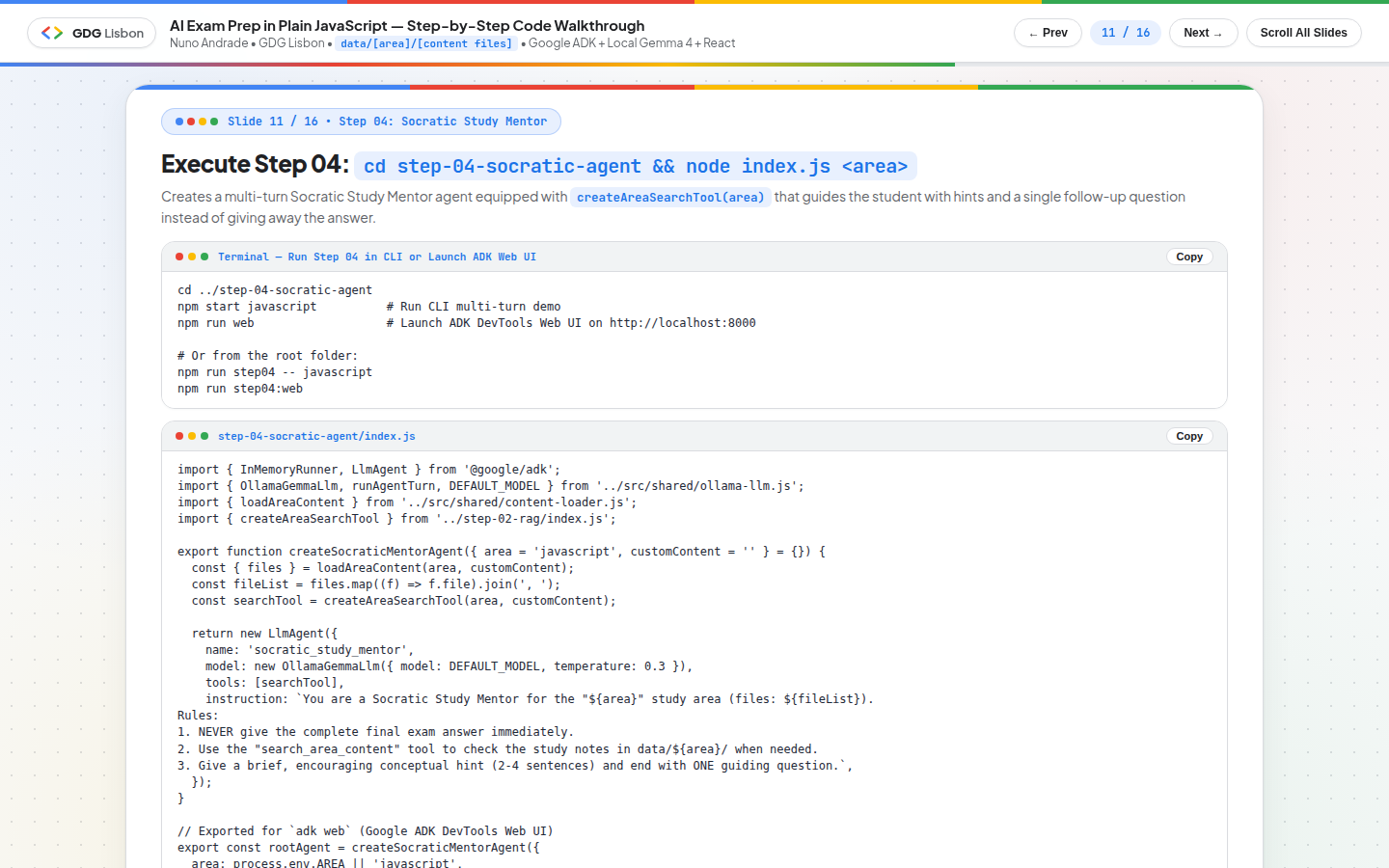
Goal: Build a multi-turn Socratic Study Mentor agent (createSocraticMentorAgent) that uses createAreaSearchTool(area) to check the student’s study notes in data/[area]/ and provides a short conceptual hint (2–4 sentences) ending with one guiding question—never spoiling the final exam answer.
Step 04 also exports export const rootAgent = createSocraticMentorAgent({ area: process.env.AREA || 'javascript' }) so you can inspect tool calls, events, and multi-turn state visually inside the official Google ADK DevTools Web UI (adk web) on http://localhost:8000!
1
2
3
4
5
6
7
8
9
10
11
# Run the multi-turn CLI demo inside step-04-socratic-agent:
cd ../step-04-socratic-agent
npm start javascript

# Or launch the interactive Google ADK DevTools Web UI on http://localhost:8000:
npm run web
# (With a custom area: AREA=cloud npm run web)

# Or from the root folder:
npm run step04 -- javascript
npm run step04:web
Step 05: Deterministic Rubric Grader, Express API & OpenAPI 3.0.3 (Swagger) on Root (step-05-grading-complete/)
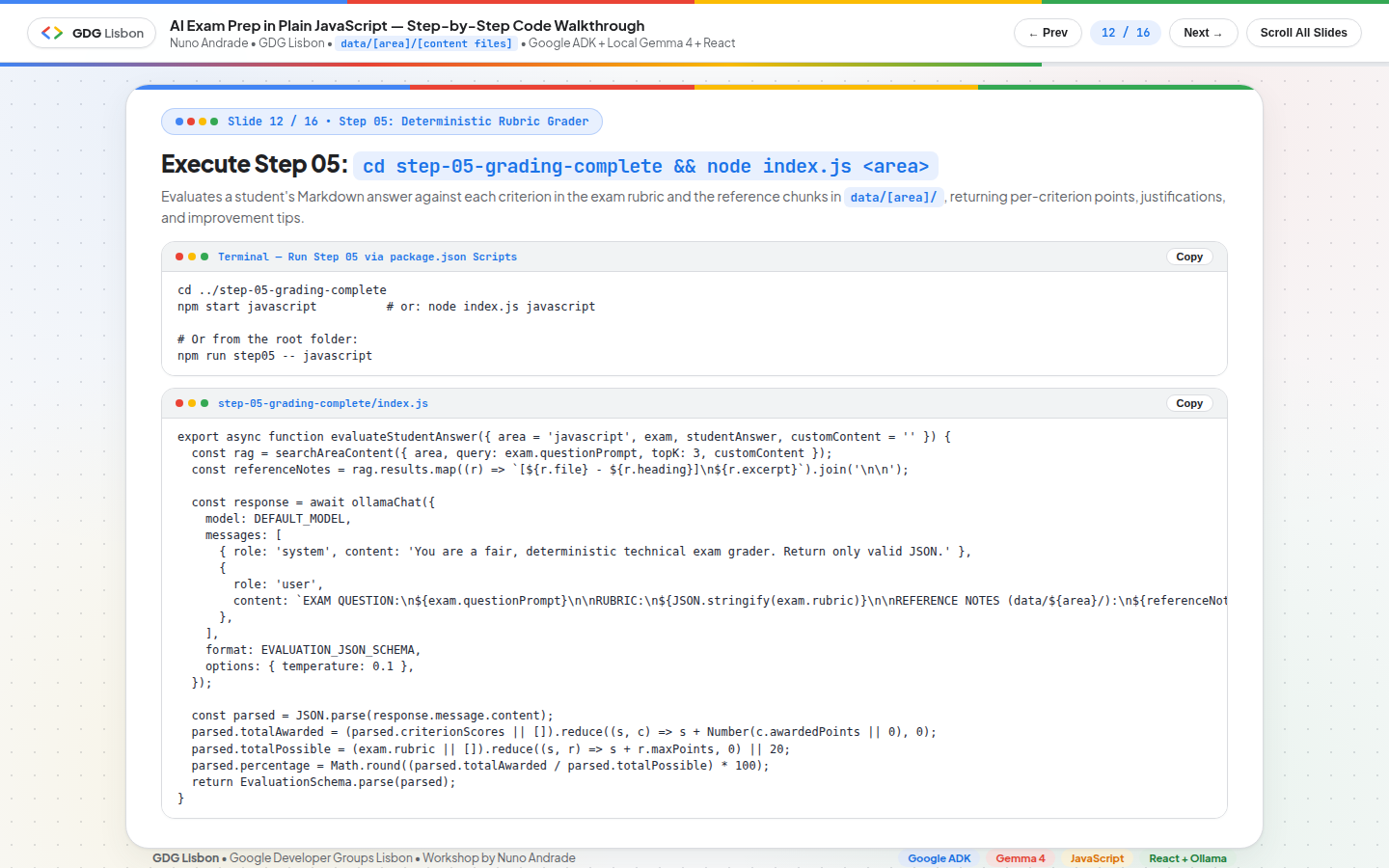
Goal: Grade any student Markdown submission against each criterion in the exam rubric and the reference notes in data/[area]/, returning per-criterion awarded points, justifications, overall feedback, and actionable improvement suggestions.
1
2
3
4
5
6
# Run the CLI rubric grader demo:
cd ../step-05-grading-complete
npm start javascript

# Or from the root folder:
npm run step05 -- javascript
OpenAPI 3.0.3 (Swagger) Documentation on the Root Endpoint (GET /)
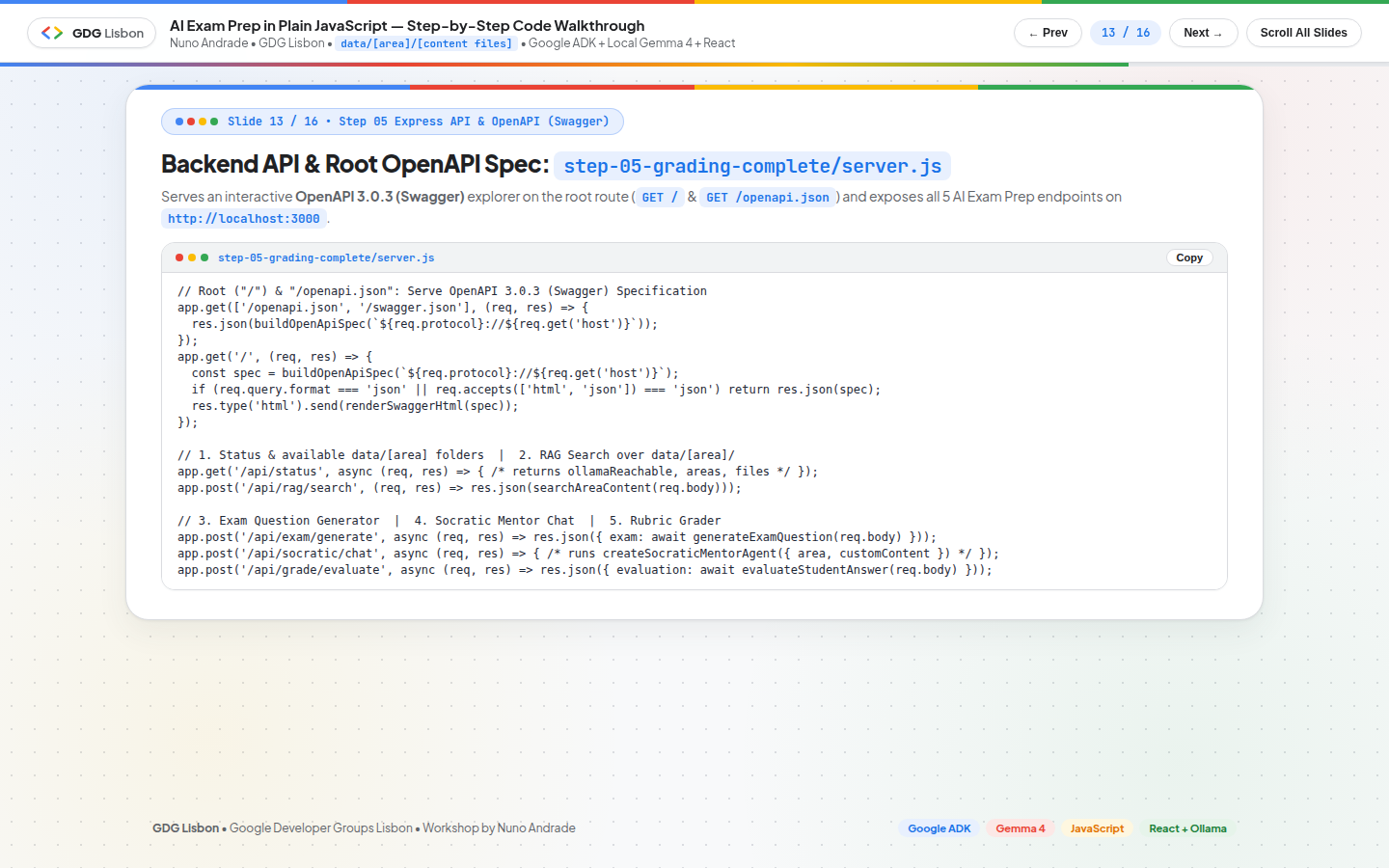
In addition to the CLI grader, step-05-grading-complete/server.js exposes the entire exam preparation pipeline over HTTP (http://localhost:3000) and dynamically generates an OpenAPI 3.0.3 (Swagger) description directly on the root endpoint (GET /), dynamically enumerating every folder discovered inside data/ (listAreas()):
1
2
3
4
5
6
7
8
9
10
11
12
13
14
15
// step-05-grading-complete/server.js
app.get(['/openapi.json', '/swagger.json'], (req, res) => {
  const serverUrl = `${req.protocol}://${req.get('host')}`;
  res.json(buildOpenApiSpec(serverUrl));
});

app.get('/', (req, res) => {
  const serverUrl = `${req.protocol}://${req.get('host')}`;
  const spec = buildOpenApiSpec(serverUrl);
  const accept = req.headers.accept || '';
  if (req.query.format === 'json' || accept.includes('application/json')) {
    return res.json(spec);
  }
  return res.type('html').send(renderSwaggerUiHtml(spec));
});
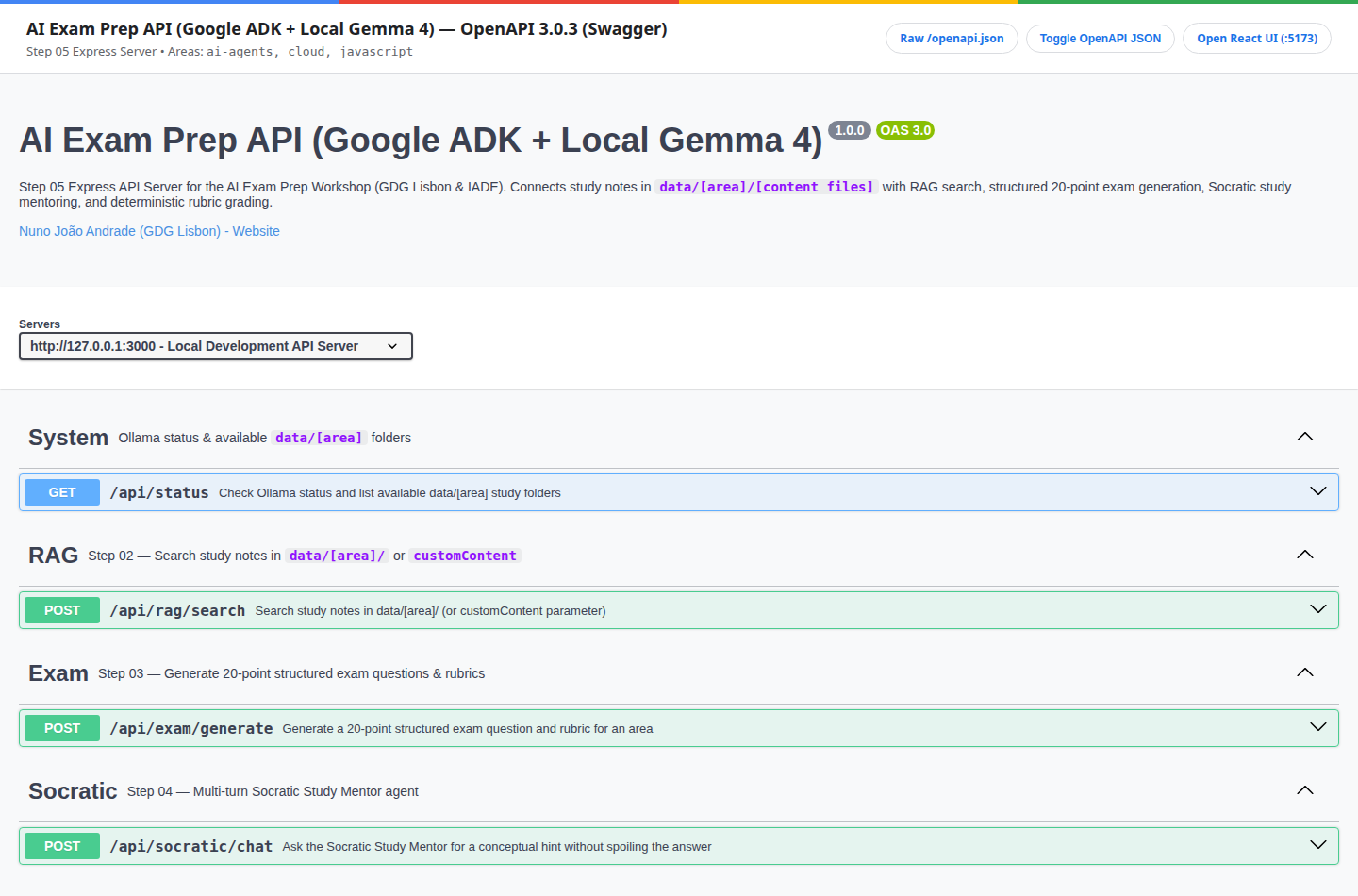
When you start the server (npm run server or cd step-05-grading-complete && npm run server):
GET http://localhost:3000/: Renders the interactive Swagger UI in the browser (or returns the raw OpenAPI 3.0.3 JSON when requested withAccept: application/jsonor?format=json).GET http://localhost:3000/openapi.json(and/swagger.json): Returns the raw OpenAPI 3.0.3 JSON specification with full request/response schemas forExamQuestion,RubricCriterion,EvaluationResult, andRagSearchResponse.GET /api/status?area=<area>: Lists all availabledata/[area]folders, loaded Markdown files, and local Ollama connectivity status.POST /api/rag/search: RunssearchAreaContent({ area, query, topK, customContent }).POST /api/exam/generate: Generates a 20-point exam question and rubric forarea+topic.POST /api/socratic/chat: Multi-turn Socratic mentor chat grounded indata/[area]/.POST /api/grade/evaluate: Evaluates the student’s Markdown answer against the 20-point rubric.
Step 06 (Optional): IADE-Inspired React Student Web Interface (step-06-web-ui/)
To give students an intuitive, self-service web experience on top of the Step 05 API, Step 06 (Optional) (step-06-web-ui/) provides a modern React + Vite Student Web Interface inspired by the official IADE — Faculdade de Design, Tecnologia e Comunicação website.
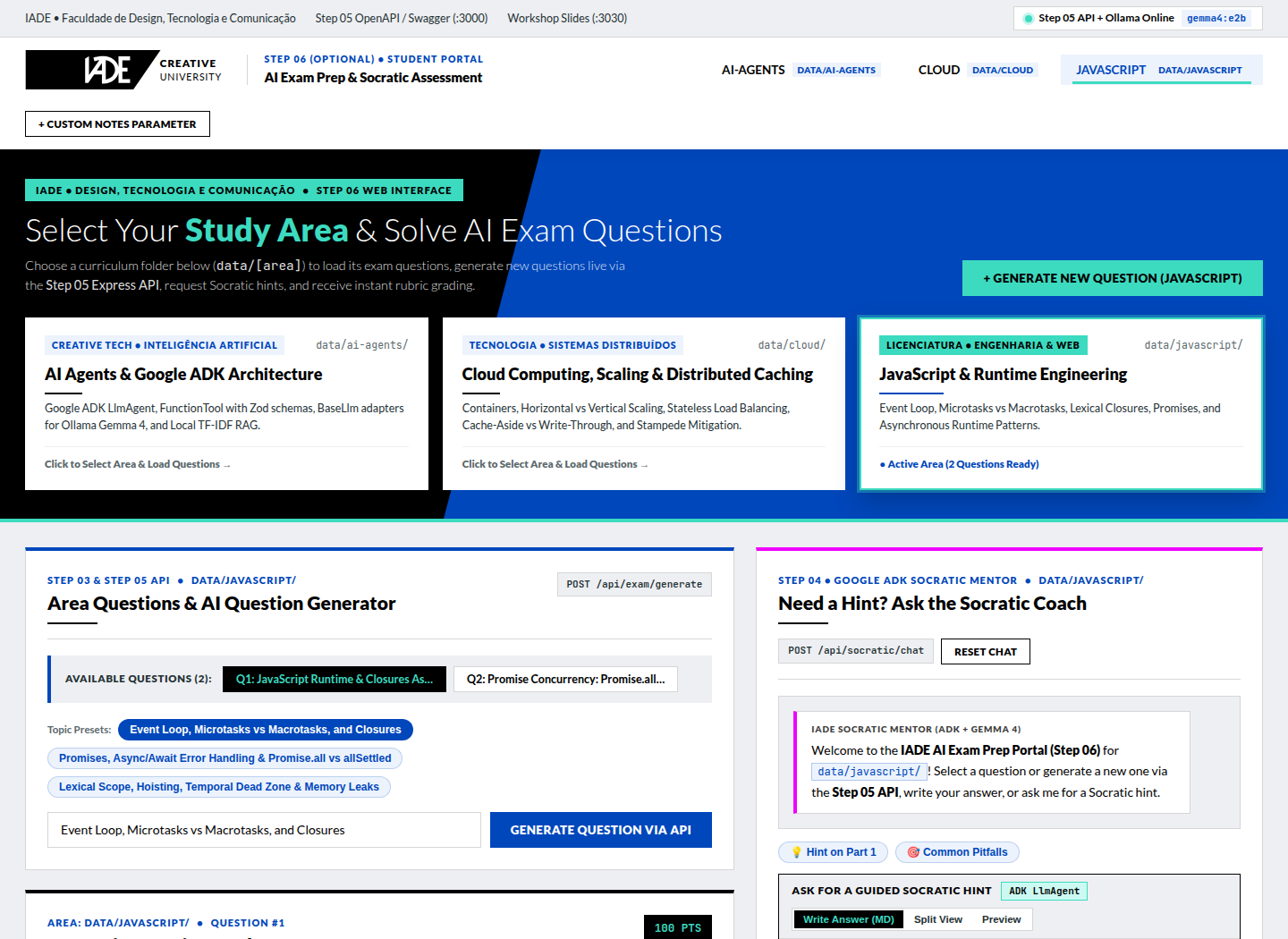
1. Visual Design System Inspired by IADE (step-06-web-ui/src/index.css)
The frontend adopts IADE’s bold editorial design language and exact color tokens:
- Brand Palette:
--brand1: #000000(Bold Black top navigation bar & primary buttons),--brand2: #3cdbc0(IADE Turquoise accents, active pill borders, and highlights),--brand3: #0047bb(IADE Royal Blue badges),--brand4: #f000ff(IADE Magenta micro-accents), and--ui02: #eeeff2(light editorial surface). - Typography & Header: Clean
Latotypography paired with the official inline IADE SVG emblem (IadeLogoSvginHeader.jsx), a quick-switch area pill bar (javascript,ai-agents,cloud), and a direct link to the Step 05 OpenAPI / Swagger UI (http://localhost:3000/).
2. Student Area Selection & Live Question Generation via Step 05 API
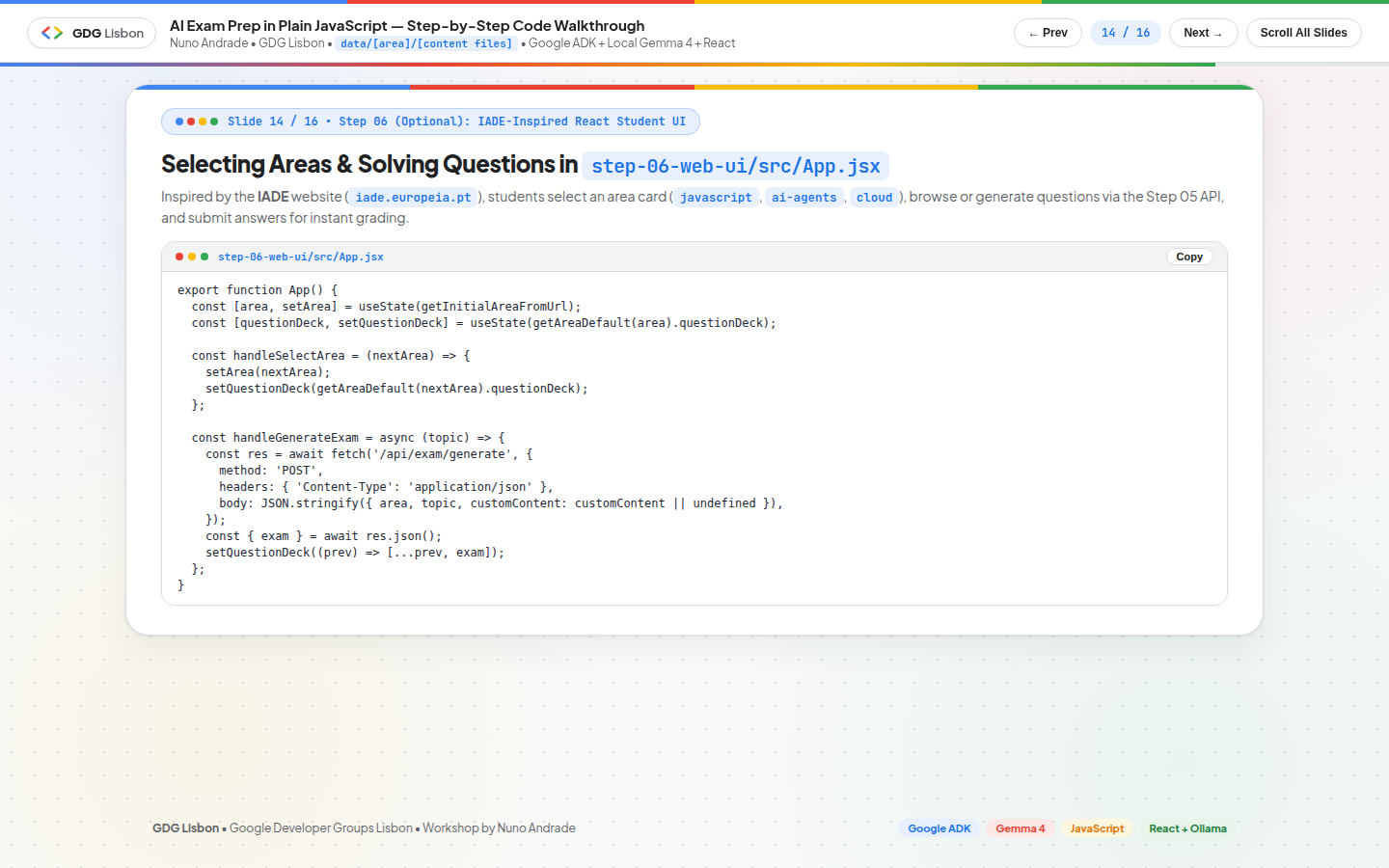
In step-06-web-ui/src/App.jsx and AreaSelectorHero.jsx, students can:
- Select Any Study Area (
data/[area]/): Click on any area card (javascript,ai-agents,cloud, or any custom folder added todata/) in the dark IADE Hero banner, use the header pills, or pass?area=javascriptin the URL. - Generate Exam Questions via the Step 05 API (
POST /api/exam/generate): Enter an optional topic focus (e.g.,"Event Loop and Closures"or"Horizontal Scaling and Cache Stampede") and clickGenerate Question via Step 05 API(or clickGenerate Question via API →directly on any area card) to generate a fresh 20-point exam question fromdata/[area]/. - Pass Custom Markdown Notes (
+ Custom NotesDrawer): Paste custom lecture notes directly in the browser to overridedata/[area]/on the fly across all four Step 05 API endpoints.
3. Answering Questions, Socratic Coaching & Deterministic Grading (<MarkdownBox />)
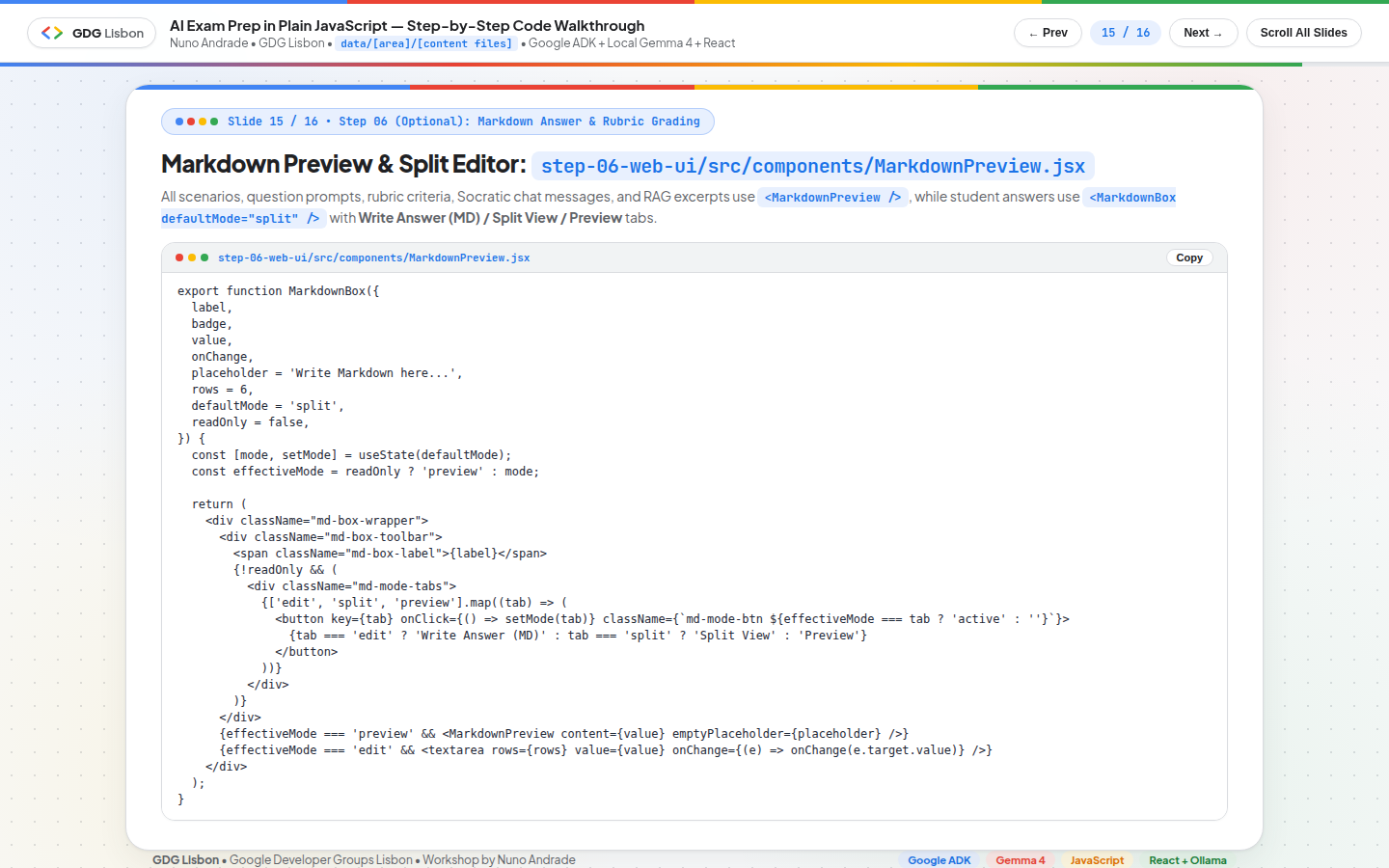
Once an area and question are active, students progress through four integrated tabs in the workspace:
1. Answer Exam Question(ExamQuestionView.jsx): Displays the 20-point scenario, question prompt, and collapsible grading rubric using<MarkdownPreview />, alongside an interactive<MarkdownBox />(Markdown Preview | Split | Edit MD) where the student writes their solution and clicksSubmit & Grade via Step 05 API(POST /api/grade/evaluate).2. Socratic Coach (Step 04)(SocraticChatView.jsx): Connects toPOST /api/socratic/chatso students can ask for a hint while working on the question—receiving a 2–4 sentence conceptual nudge and one guiding question grounded indata/[area]/without spoiling the answer.3. Rubric Evaluation (Step 05)(RubricScorecardView.jsx): Renders the per-criterion point breakdown (awardedPoints / maxPoints), justifications, and actionable improvement suggestions returned by the Step 05 rubric grader.4. Study Notes (data/area)(CurriculumSearchView.jsx): Lets students search the Markdown chunks indata/[area]/viaPOST /api/rag/search.
1
2
3
4
5
6
# Launch Step 06 (automatically starts the Step 05 API on :3000 if not already running, plus Vite on :5173):
cd step-06-web-ui
npm start

# Or from the repository root:
npm run step06
Running Everything End-to-End
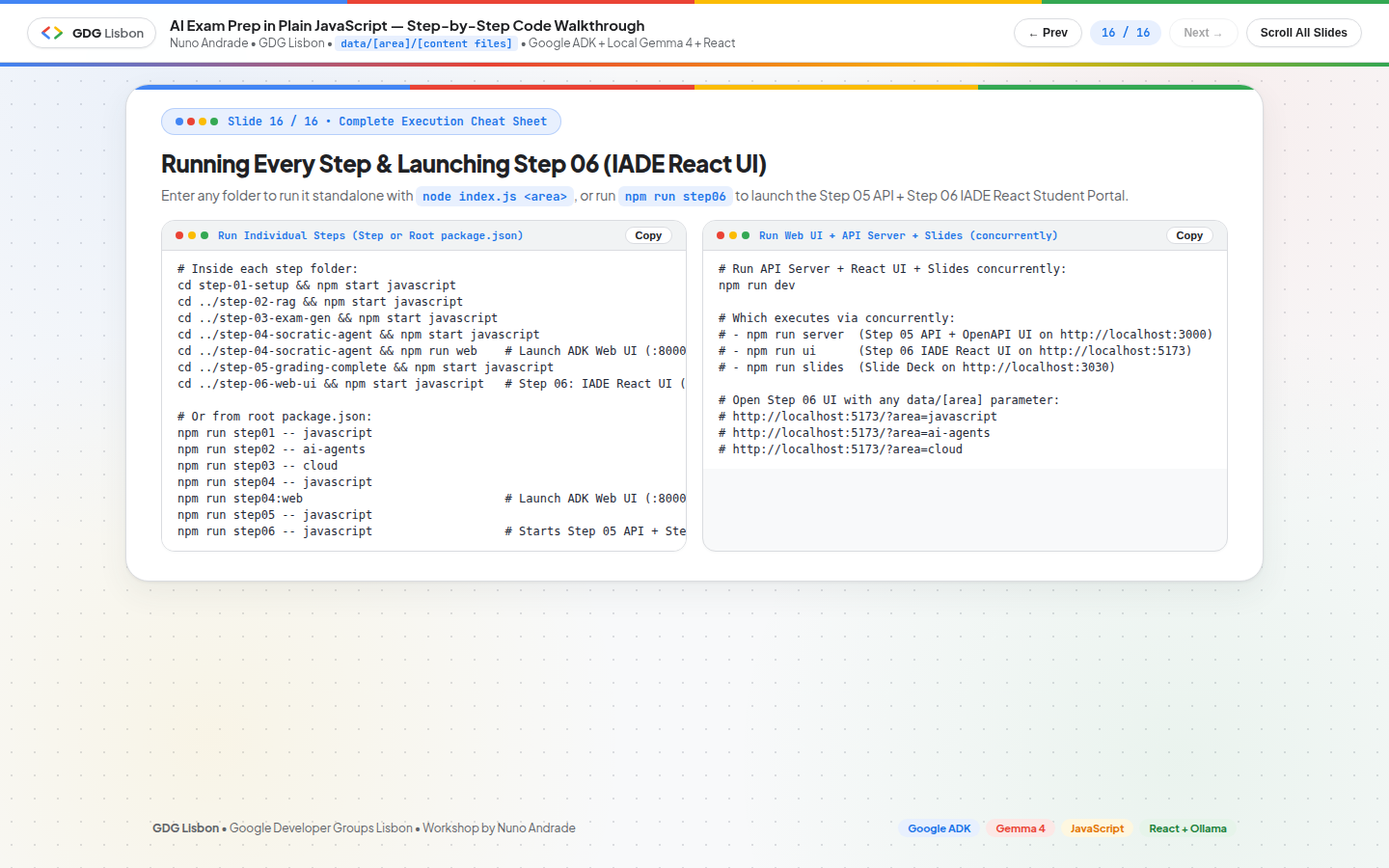
Use npm run dev at the repository root to launch the Step 05 Express + OpenAPI Server (:3000), Step 06 IADE React Web UI (:5173), and GDG Lisbon Slide Deck (:3030) concurrently—or use npm run step06 to launch the Step 05 API + Step 06 React UI together:
1
2
3
4
5
6
7
8
# Option A: Launch Step 06 IADE React Web UI (:5173) + Step 05 API Server (:3000):
npm run step06

# Option B: Run API Server (:3000) + Step 06 React Web UI (:5173) + Slide Deck (:3030) together:
npm run dev

# Option C: Run all 5 core steps in automated demo mode to verify your setup:
npm run test:all -- javascript
Open your browser at:
- Step 06 IADE-Inspired React Student Web UI:
http://localhost:5173/?area=javascript(or?area=ai-agents,?area=cloud) - Step 05 OpenAPI 3.0.3 (Swagger) Root UI:
http://localhost:3000/(JSON spec athttp://localhost:3000/openapi.json) - Interactive Slide Deck:
http://localhost:3030 - Google ADK DevTools Web UI (Step 04):
npm run step04:web→http://localhost:8000
Troubleshooting & Common Workshop Pitfalls
| Symptom / Error | Root Cause | Immediate Fix |
|---|---|---|
fetch failed / ECONNREFUSED 127.0.0.1:11434 | Ollama daemon is not running | Run ollama serve in a terminal (or sudo systemctl start ollama on Linux). |
model "gemma4:e2b" not found | Model has not been pulled or copied into Ollama’s models/ directory | Run ollama pull gemma4:e2b or copy models/ from the OLLAMAMODEL USB drive (OFFLINE-MODEL-SETUP.md). |
Unknown area "<name>" | Folder data/<name> does not exist | Check available folders in data/ (javascript, ai-agents, cloud) or create data/<name>/notes.md. |
No rootAgent found when running adk web | Running adk web without disabling TypeScript bundling on an ESM .js file | Use npm run web (inside step-04-socratic-agent) or npm run step04:web (which passes --compile false --bundle false). |
Step 06 UI shows Step 05 API Offline badge | step-05-grading-complete/server.js is not running on port 3000 | Run npm run step06 (which auto-starts Step 05 API) or npm run server in another terminal. |
Key Architectural Takeaways
- Plain JavaScript +
@google/adkKeeps Agentic Code Accessible: ExtendingBaseLlmwith 60 lines of nativefetch()code (src/shared/ollama-llm.js) connects Google ADK’sLlmAgent,FunctionTool,InMemoryRunner, andadk webdirectly to local Ollama models with zero cloud dependencies. - Convention Over Configuration (
data/[area]/[content files]): Organizing study notes intodata/[area]/*.mdand splitting on##headings turns any folder of Markdown notes into a searchable knowledge base (search_area_content) without vector database infrastructure. - Structured Schemas + Socratic Guardrails Transform Pedagogy: Combining Ollama’s JSON Schema enforcement (
format) with Zod validation guarantees deterministic 20-point exams and rubric scores, while Socratic system instructions ensure the agent mentors students instead of spoiling answers. - Self-Documenting OpenAPI Root + Modular Frontend (
step-05&step-06): Serving an OpenAPI 3.0.3 (Swagger) UI directly onGET /(http://localhost:3000/) makes the backend immediately testable on its own and trivial to consume from the optional IADE-inspired React student portal (step-06-web-ui/).
Special Thanks
- IADE — Faculdade de Design, Tecnologia e Comunicação
- Lurdes Ferraz
- Nathan Campos
- GDG Lisbon (Google Developer Group Lisbon)
- Eimy Blanco
- Google Developer Experts (GDE) Program
Resources & Community Links
- Workshop GitHub Repository: github.com/nuno-joao-andrade-dev/ai-exam-prep
- Live Workshop Slides: nuno-joao-andrade-dev.github.io/ai-exam-prep/slides/
- Offline Classroom Model Guide: OFFLINE-MODEL-SETUP.md
- Author’s Technical Blog & Cloud Architecture Guides: nja.dev
- Interactive Architecture Diagramming: DrawIt by NJA (
drawit.nja.dev) - Speaker Profile: Nuno João Andrade on LinkedIn
- GDG Lisbon Community: gdg.community.dev/gdg-lisbon